



Every few years, UX quietly changes its rules.
Not overnight.
Not through big announcements.
Through new expectations, new behaviors, and new ways people relate to technology.
By 2026, these shifts are no longer “emerging.”
They are shaping how products are built, judged, and experienced.
Some designers will adapt early.
Others will keep working the old way and wonder why things feel harder.
This issue breaks down the most meaningful trends shaping UX in 2026.
Not hype. Not pretty screens.
But shifts that change how you work, think, and make decisions.
In This Issue
• Why UX is shifting now
• 10 design changes shaping 2026
• What each shift means for your work
• How to adapt without burnout
• Take-Home Exercise
• Resource Corner
Why UX is shifting now
UX is changing because people are changing.
Users now expect:
• Faster feedback
• More personalization
• Clearer explanations
• More control
• Less friction
At the same time, technology is accelerating.
AI, automation, and templates reduce execution time.
What remains valuable is thinking, framing, and judgment.
Judgment means choosing the right direction under uncertainty.
That is what these shifts point toward.
10 design changes shaping 2026
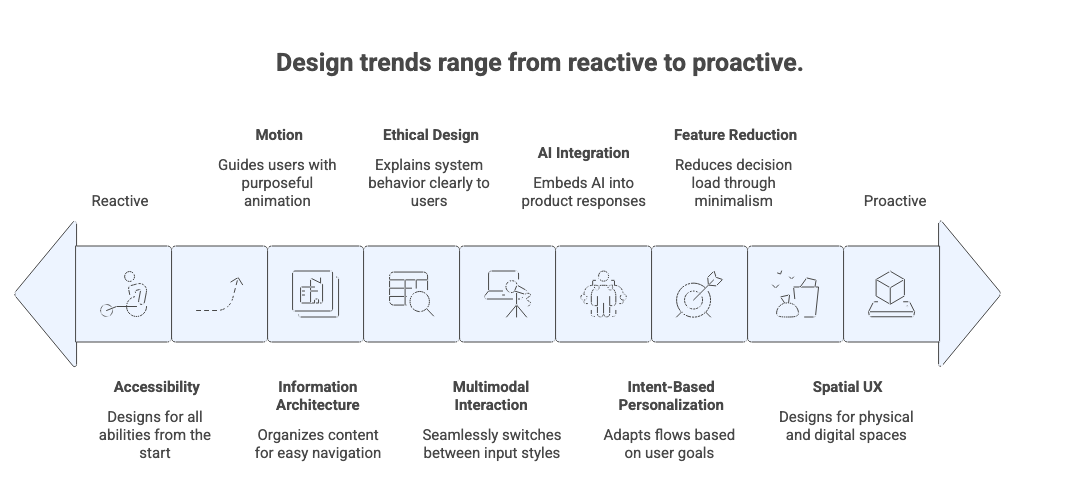
1. Multimodal interaction becomes normal
People now move easily between typing, speaking, clicking, and uploading images.
Multimodal means using multiple ways to interact within one experience.
What this means for you:
Design flows that work even when users switch input styles.
Stop designing for one “ideal” path.
2. AI becomes part of everyday UX
AI is no longer a feature.
It is embedded into how products respond, adapt, and suggest.
AI assistance means systems that help users think, write, plan, or decide.
What this means for you:
Design boundaries between what AI suggests and what humans control.
Trust depends on this line.
3. Personalization shifts from surface to substance
Personalization is moving beyond names and preferences.
It now adapts flows, content, and defaults based on intent.
Intent means what a user is trying to achieve in that moment.
What this means for you:
Design for goals, not profiles.
4. Accessibility becomes foundational
Accessibility is no longer a checklist at the end.
Accessible UX means experiences usable by people with different abilities, contexts, and limitations.
What this means for you:
Design inclusively from the first sketch.
Retrofitting will not scale.
5. Simplicity replaces feature stacking
Products are shedding excess.
Minimalism in 2026 is about reducing decision load.
Decision load means the mental effort required to choose what to do next.
What this means for you:
Remove before you add.
Clarity beats capability.
6. Motion becomes communication
Animation is now used to guide, confirm, and explain.
Purposeful motion means movement that teaches something.
What this means for you:
Design transitions that reduce confusion, not decorate screens.
7. Ethical and transparent design rises
Users want to know:
• What is automated
• What is tracked
• What is predicted
Transparency means explaining system behavior clearly.
What this means for you:
Design honesty into interfaces.
Silence erodes trust.
8. Predictive flows become common
Systems increasingly suggest next steps.
Anticipatory design means offering relevant actions before users ask.
What this means for you:
Balance helpfulness with control.
Never trap users in predictions.
9. Information architecture becomes critical again
As systems grow complex, structure matters more.
Information architecture means how content is organized and labeled.
What this means for you:
Invest in naming, grouping, and navigation logic.
It is invisible when done well.
10. Spatial and mixed environments expand
More experiences blend physical and digital spaces.
Spatial UX means designing for depth, environment, and movement.
What this means for you:
Think beyond flat screens.
Context now includes physical surroundings.
Upcoming…..
Mastering UX & Product Management Collaboration
Great products don’t happen in silos.
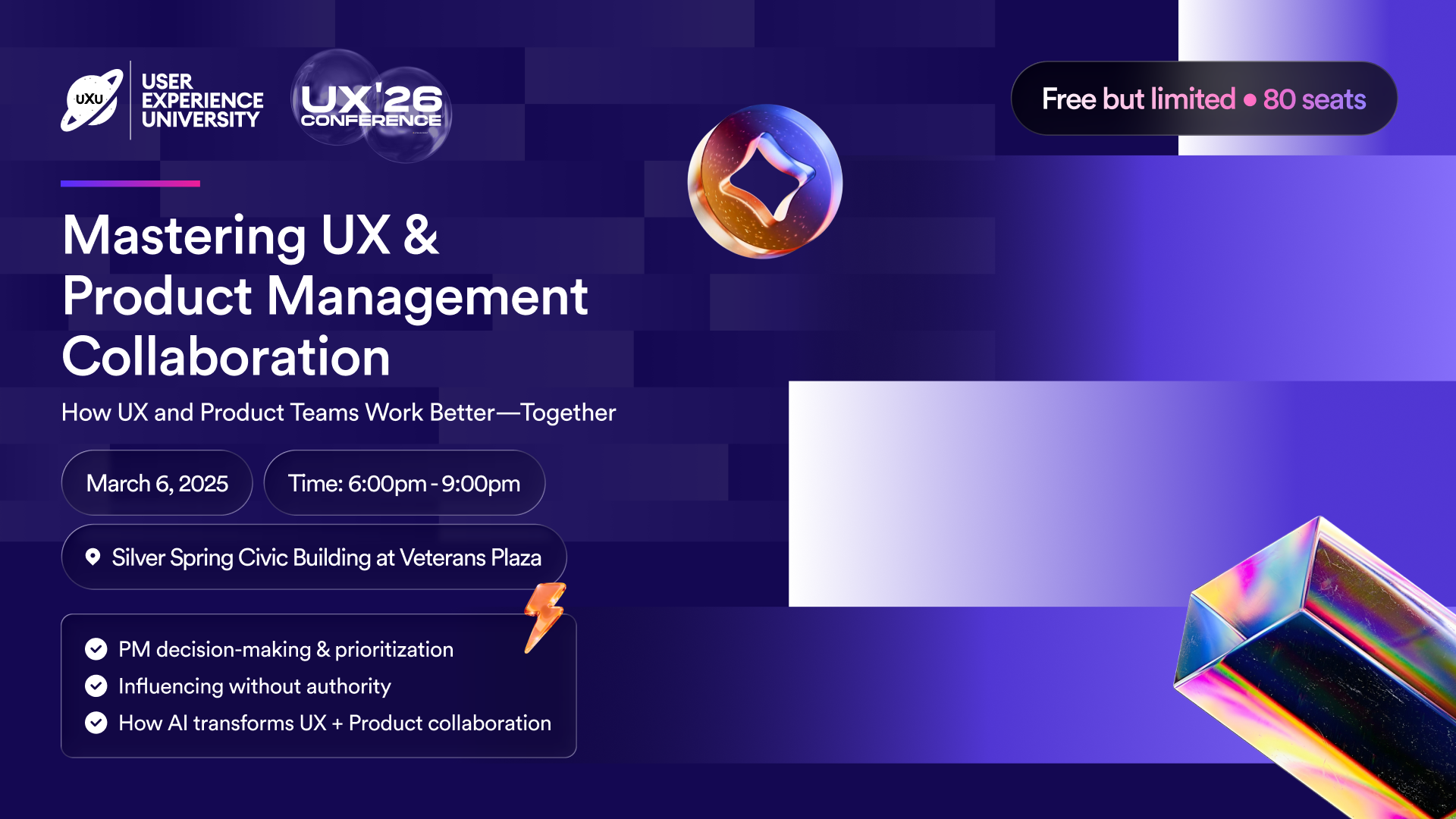
They happen when UX and Product teams make decisions together, understand tradeoffs, and share the same outcomes.
Join us for a practical session where UX pros and Product Managers unpack how work really gets done. Learn how to influence direction without formal authority, navigate collaboration breakdowns, and leverage AI in your workflows while building stronger, more productive relationships across teams.
Walk away with frameworks, language, and actionable ideas you can apply immediately with your team.
Stop working in silos. Start building together.
How these shifts change your daily work
By 2026, strong UX work looks like:
• Designing flows, not pages
• Explaining systems, not features
• Reducing friction, not adding options
• Supporting judgment, not just interaction
Your value moves closer to decision-making.
Take-Home Exercise
Use this with your next project.
Pick one feature you are working on
Identify which of the 10 shifts applies most
Write how the feature supports that shift
Remove one element that adds friction
Add one element that increases clarity
Repeat this monthly.
It keeps your skills aligned with reality.
Resource Corner
State of UX 2026: Design Deeper to Differentiate
138 Big UX Trends 2026: The Shifts Designers Can’t Ignore
Final Thought
UX in 2026 is not about keeping up with tools.
It is about keeping up with people.
When you design with clarity, empathy, and strong judgment, trends become opportunities instead of threats.
Adapt early. Think deeply. Design responsibly.


