



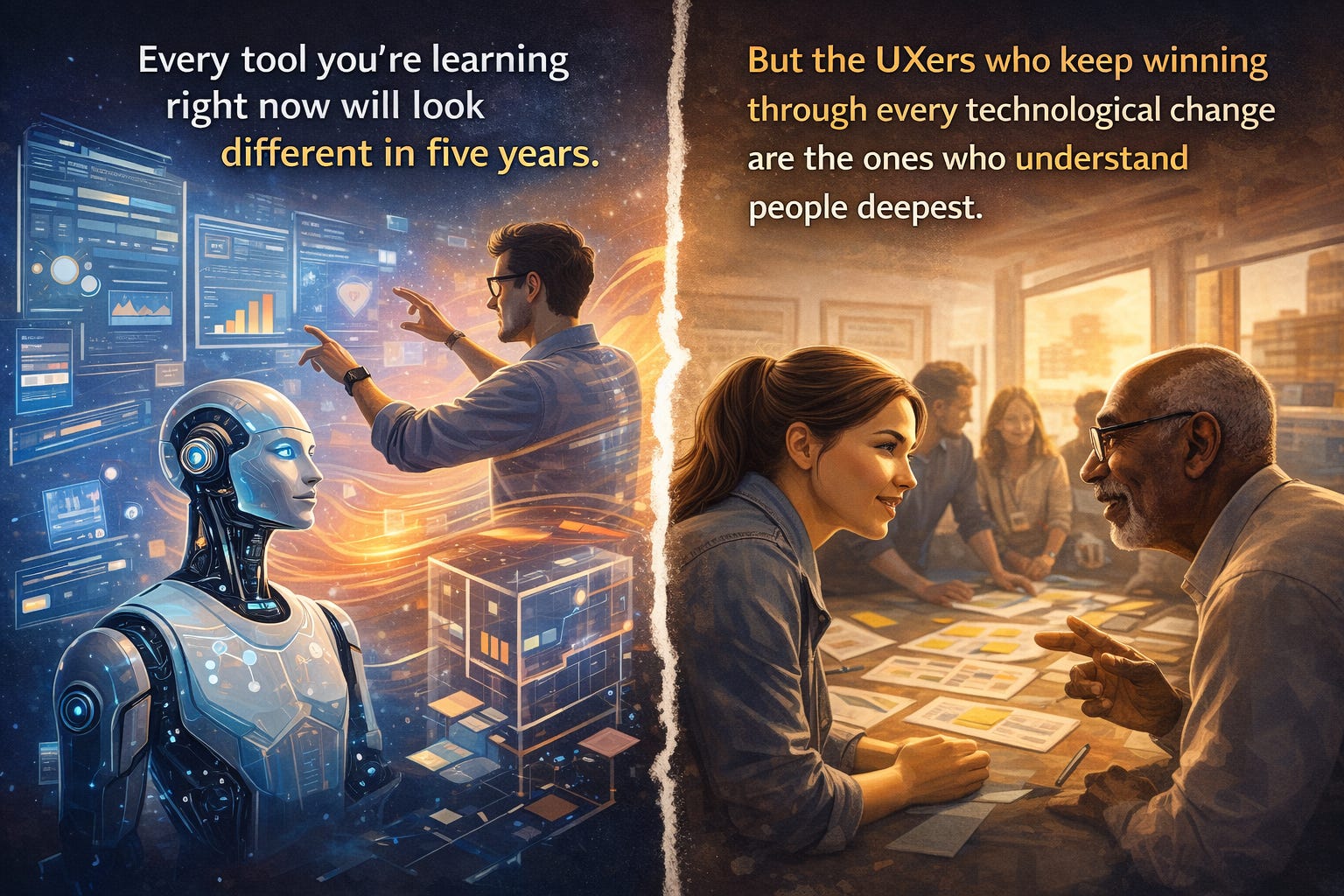
Every tool you’re learning right now will look different in five years. Figma will evolve. AI will automate more of the execution. New frameworks will arrive with loud promises.
But the designers who keep winning through every wave of change aren’t the ones who learn tools fastest. They’re the ones who understand people deepest.
You already know this. You’ve seen it. The researcher who asks the one question that reframes the whole product direction. The designer who walks into a stakeholder meeting and shifts the room. The IC who sees the systemic problem three sprints before anyone else does.
These 10 skills are what those people have in common. They’re worth investing in like compound interest because the returns only grow.
01 · User Research
Listening better than anyone in the room
You know the moment: a participant says “it’s fine” while visibly hesitating. The skill isn’t the interview guide. It’s knowing what to ask next, and how to create enough safety that people tell you what they actually think.
Research is about constructing the right questions, reading what’s unsaid, and turning messy human behaviour into something a product team can act on.
📌 Contextual inquiry · User interviews · Usability testing · Diary studies · A/B testing 🔗 User Interviews Blog
The gap between what users say they do and what they actually do - that’s where all the real insight lives.
02 · Information Architecture
Making complexity navigable
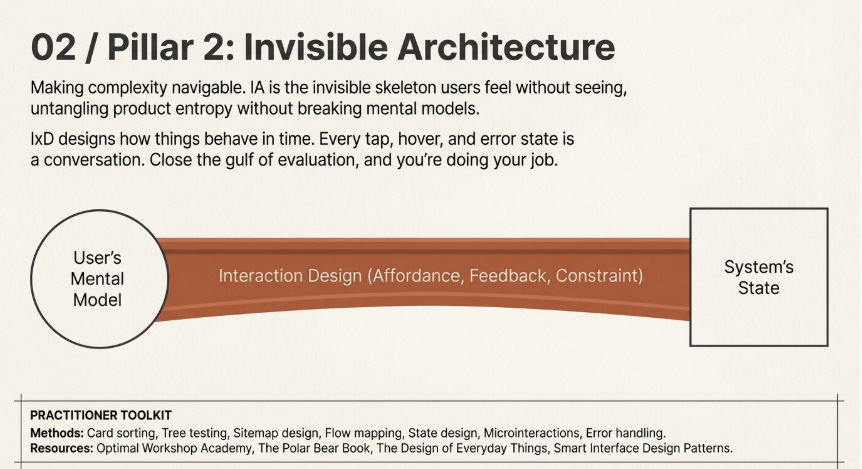
Before any component gets placed, someone has to decide how information relates to other information. IA is the invisible skeleton users feel without ever seeing it. Get it wrong and no visual polish saves you. Get it right and even a simple product feels effortless.
The hardest part isn’t building it. It’s inheriting five years of product entropy and untangling the structure without breaking users’ existing mental models.
📌 Card sorting · Tree testing · Sitemap design · Navigation patterns · Mental models 🔗 Optimal Workshop Academy · The Polar Bear Book
03 · Interaction Design
Designing how things behave, not just look
Every tap, hover, error state, and transition is a conversation between the product and the user. IxD means thinking in time: how someone moves through a flow across minutes and sessions, not just how a single screen renders.
Affordance. Feedback. Constraint. These principles predate software and will outlast every tool that comes next.
📌 Flow mapping · State design · Microinteractions · Affordance theory · Error handling 🔗 The Design of Everyday Things · Smart Interface Design Patterns
Don Norman’s “gulf of evaluation” explains more product failures than any other single concept. Close that gulf and you’re doing your job.
SPEAKING OF DON NORMAN
He coined that concept. He wrote the book that shaped how this entire field thinks about design. And this year, he’s taking the stage at UXCON26.

If you’ve spent any time in UX, you know what it means to hear someone like Norman think out loud, not from a keynote slide deck, but in conversation, in real time, with a room full of people who actually care about this work. That’s what UXCON26 is built for.
We currently have a special offer running, but it closes tonight. If you’ve been sitting on it, this is your nudge.
04 · Accessibility
Design that works for every human, full stop
1 in 4 adults has a disability. Designing without considering this isn’t a niche concern, it’s excluding a quarter of your audience by default. And with an ageing global population, that share only grows.
The curb-cut effect is real: what you build for people with disabilities consistently improves the experience for everyone else too. Accessibility isn’t a checklist at the end of the project. It’s a lens applied from the first wireframe.
📌 WCAG 2.1/3.0 · Screen reader testing · Keyboard navigation · Cognitive load · Color contrast 🔗 W3C WCAG Guidelines · Microsoft Inclusive Design · Deque Axe Tools
05 · Storytelling and Presenting
Making others feel the user’s experience
The best research in the world dies in a readout if it isn’t structured well. The best design dies in review if the designer can’t defend it. Problem, insight, solution, impact: that narrative structure works every time, in every room.
Senior designers spend more time communicating design than making it. The sooner you treat presentation as a core craft skill, the faster everything else accelerates.
📌 Research readouts · Design critiques · Executive storytelling · Case study writing · Workshop facilitation 🔗 Duarte Presentation Resources · Presenting Design Work (A Book Apart)
Designers who present with clarity get their work shipped. The rest get their decisions made for them.
06 · Systems Thinking
Seeing the whole board, not just this screen
Designing one screen well is a skill. Designing a system that makes 10,000 future screens consistent, accessible, and fast, that’s a different order of thinking entirely.
Design systems work means understanding tokens, component APIs, documentation, and governance. It means caring about the designer who inherits your work two years from now as much as the user who sees it today.
📌 Atomic design · Token architecture · Component documentation · Design-dev handoff · Governance 🔗 DesignSystems.com · Atomic Design by Brad Frost
07 · Psychology and Cognitive Science
Understanding why people actually click
Users don’t read, they scan. They don’t evaluate options rationally, they pattern-match from memory. They don’t decide logically, they feel first and justify later.
Fitts’s Law, Hick’s Law, cognitive load theory, the Von Restorff effect — these aren’t trivia. They’re the operating system underneath every good design decision. The designers who know them don’t just make better work; they argue for it more convincingly.
📌 Cognitive load · Gestalt principles · Behavioral nudges · Dark pattern awareness · Mental models 🔗 Laws of UX (free) · Thinking, Fast and Slow
08 · Visual Design Fundamentals
Training your eye, not just your tools
Tools are democratising interface creation fast. But trained visual judgment — knowing when a layout breathes, when contrast creates hierarchy, when a typeface choice signals intent - that remains deeply human.
You don’t need to be a graphic designer. You need enough visual vocabulary to evaluate and improve any interface you’re responsible for.
📌 Grid systems · Type hierarchy · Color theory · White space · Gestalt proximity 🔗 Refactoring UI · Type Scale Tool
Aesthetics without function is decoration. Function without aesthetics is friction.
09 · Cross-Functional Collaboration
Designing with engineers and PMs, not around them
Design doesn’t ship in isolation. The UX designer who can speak the language of engineering constraints, connect design decisions to business outcomes, and hold the user’s perspective under pressure - that person is irreplaceable.
Collaboration is a skill, not a personality type. It can be studied, practiced, and meaningfully improved. The Sprint methodology didn’t just create a framework; it created a shared vocabulary for alignment. That’s the deeper lesson.
📌 Design sprints · Stakeholder alignment · Critique facilitation · Design advocacy · Trade-off negotiation 🔗 The Sprint Book ·
10 · Critical Thinking and Ethical Design
Knowing when to push back - and how
As AI automates more of UX execution, the questions that matter most are the ones it can’t answer. Should we build this at all? Who does this harm? What happens two steps downstream?
The designer who thinks critically about consequences, who looks at a pattern and sees not just its conversion rate but its human cost - will be the most valuable person in any product room this decade. This is the skill that turns a good designer into someone a team actually needs.
📌 Dark pattern recognition · Ethical frameworks · Consequence mapping · Inclusive framing 🔗 Ethics for Designers · Center for Humane Technology · Design Justice, MIT Press (free)
Design is never neutral. Every default, every opt-out, every notification cadence is a value judgment.
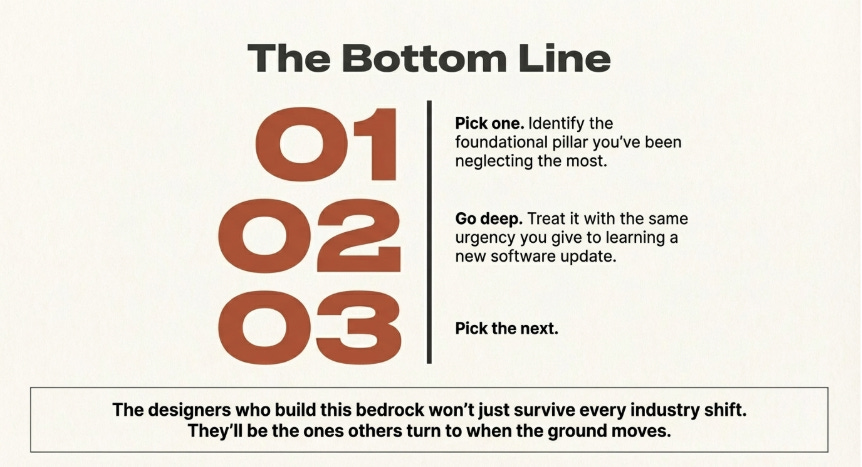
None of these have an expiry date. They don’t belong to any tool, any trend, or any AI moment. They belong to the practice of understanding humans - which is the oldest and most durable work in this field.
Pick one you’ve been neglecting. Go deep on it. Then pick the next.
—


