



Every product is racing to add AI features. Chat interfaces. Auto-generated content. Smart suggestions. Predictive workflows. And users are... ignoring them. Or worse, actively disabling them. Your AI feature that took 6 months to build gets used once and never again. Here’s what’s happening: you built AI capability but forgot to build trust.
And without trust, even perfect AI is useless. This issue breaks down why users reject AI features, what trust actually requires, and how to design AI experiences that people choose to use.
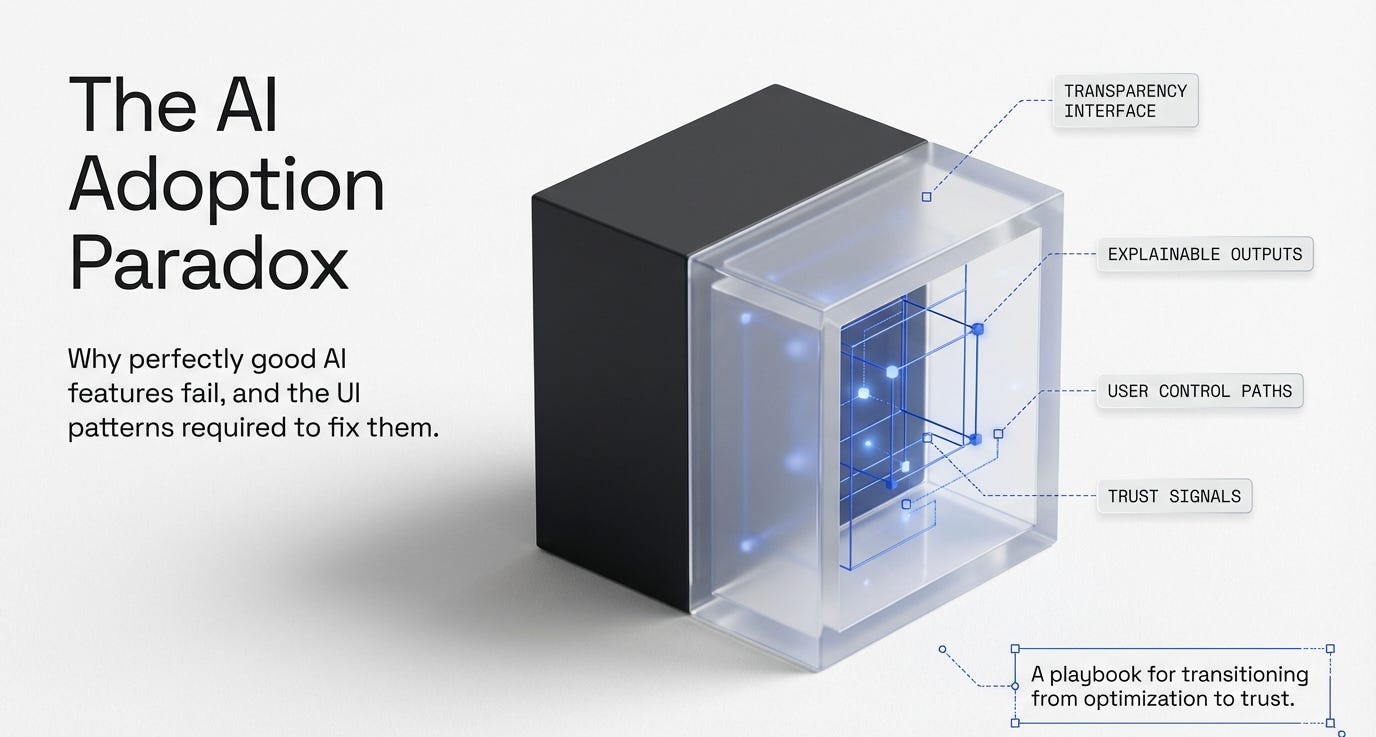
In this issue:
Why users avoid your AI features (even when they work)
The trust gap AI creates that traditional features don’t
What makes people trust (or distrust) automated decisions
Design patterns that build AI trust vs. destroy it
How to handle AI failures without losing users forever
📦 Resource Corner
Why users avoid your AI features (even when they work)
You shipped an AI feature. It’s technically impressive. The accuracy is high. It saves time. And almost nobody uses it.
Here’s what’s probably happening:
Users don’t trust it because they can’t see how it works.
Traditional features are transparent. Click a button, something happens, you understand the cause and effect. AI features are black boxes. Something happens automatically, and users have no idea why or how. That opacity breeds distrust.
Here are the specific trust barriers AI creates:
🚫 Lack of control When AI makes decisions for you, you feel powerless. If it gets something wrong and you don’t know how to correct it, the feature feels dangerous instead of helpful. Users would rather do things manually where they have control than trust automation they can’t steer.
🚫 Unpredictability Traditional features are consistent. The same input produces the same output. AI features are probabilistic. They might work great today and fail tomorrow on similar inputs. That unpredictability makes users anxious.
🚫 No explanation for decisions AI suggests something or auto-fills something, and users ask “why did it choose this?” If there’s no answer, they assume it’s random or wrong. They need to understand the reasoning to trust the output.
🚫 High stakes mistakes When AI gets something wrong in a high-stakes context (financial, medical, legal, anything with consequences), that single failure destroys trust permanently. Users remember the one time it failed more than the 99 times it worked.
🚫 Creepiness factor When AI is too accurate or knows too much, it crosses from helpful to creepy. “How did it know that?” is not always a positive reaction. Users start wondering what data you’re collecting and how you’re using it.
🚫 Lack of agency People want to feel like they’re making decisions, not that decisions are being made for them. Even when AI suggestions are correct, users resent feeling like the AI is taking over their role or judgment.
The research backs this up: Studies show that people prefer worse outcomes they chose themselves over better outcomes chosen by AI they don’t understand. Control and understanding matter more than optimization. (Source: “Algorithm Aversion” research, Berkeley Dietvorst et al.)
The trust gap AI creates that traditional features don’t
Traditional software has a simple trust model: you tell it what to do, it does exactly that, you verify the result. The loop is clear and controllable.
AI breaks this model. It acts autonomously. It makes inferences. It surprises you (sometimes positively, sometimes not). That creates a fundamentally different trust problem.
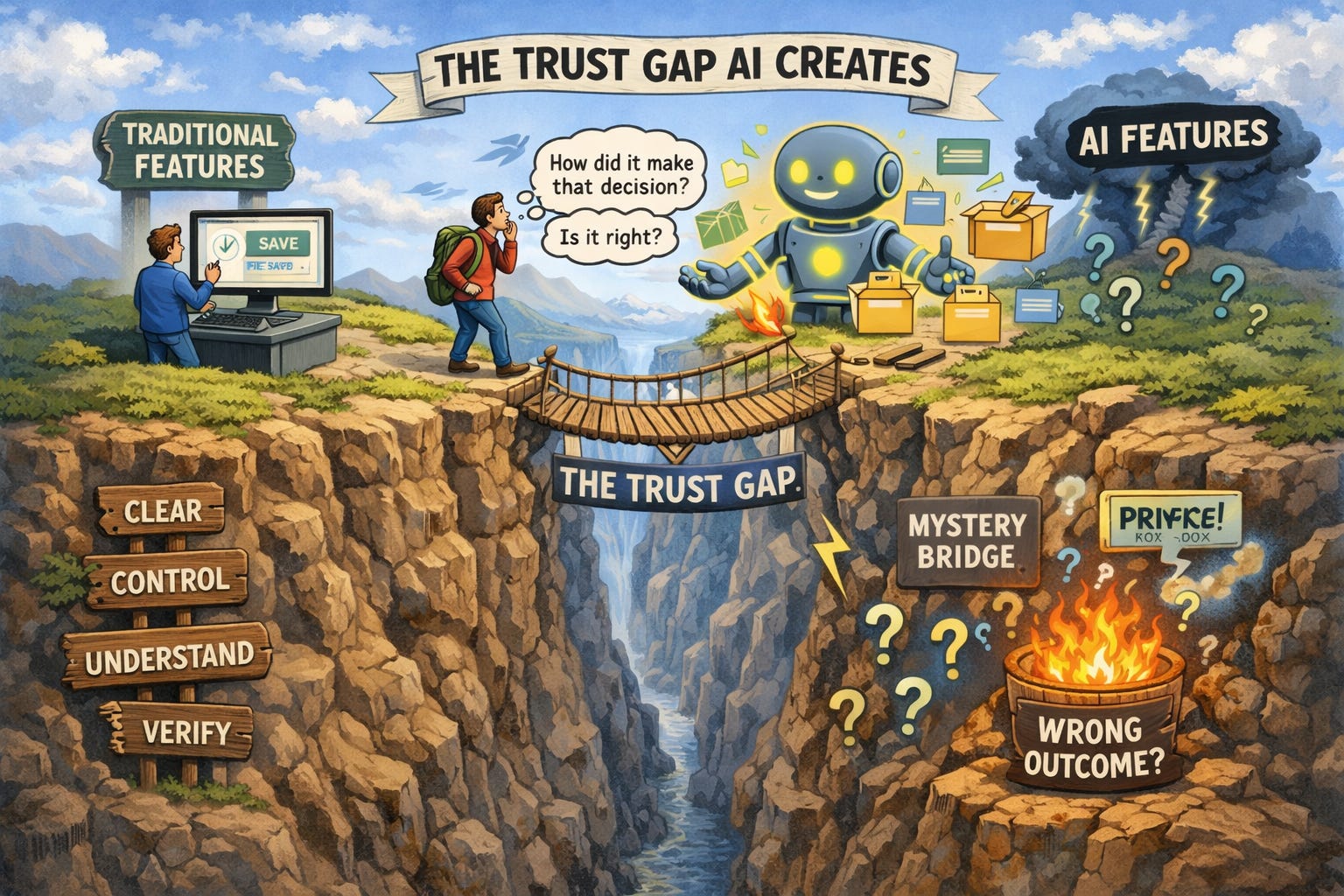
Here’s what changes with AI:
Traditional feature: “I clicked save. The file saved. I see confirmation. I trust this worked.”
AI feature: “The AI organized my files. I don’t know how it decided which files go where. I can’t verify it’s correct without manually checking everything. Do I trust this?”
The difference: With traditional features, verification is easy. With AI, verification is often harder than just doing the task yourself. So users don’t adopt it.
Another example:
Traditional feature: “I set up a filter to sort emails by sender. I know exactly what it’s doing. I can modify the rules if it’s wrong.”
AI feature: “The AI sorted my emails into categories. I don’t know what rules it’s using. I can’t adjust them. Some emails ended up in the wrong category and I don’t know why.”
The difference: Understanding and control. Users trust what they understand and can control. AI removes both.
This creates specific design challenges:
🔹 Explainability: Can users understand why the AI made a decision? 🔹 Correctability: Can users fix it when the AI is wrong? 🔹 Predictability: Can users anticipate what the AI will do? 🔹 Transparency: Can users see what data the AI is using? 🔹 Opt-out: Can users turn it off and go back to manual control?
Most AI features fail at multiple of these. That’s why users don’t trust them, even when the underlying technology is good.
What makes people trust (or distrust) automated decisions
Trust isn’t binary. It’s built through specific signals and destroyed by specific failures. Let’s get concrete about what creates and breaks trust in AI features.
What builds trust in AI:
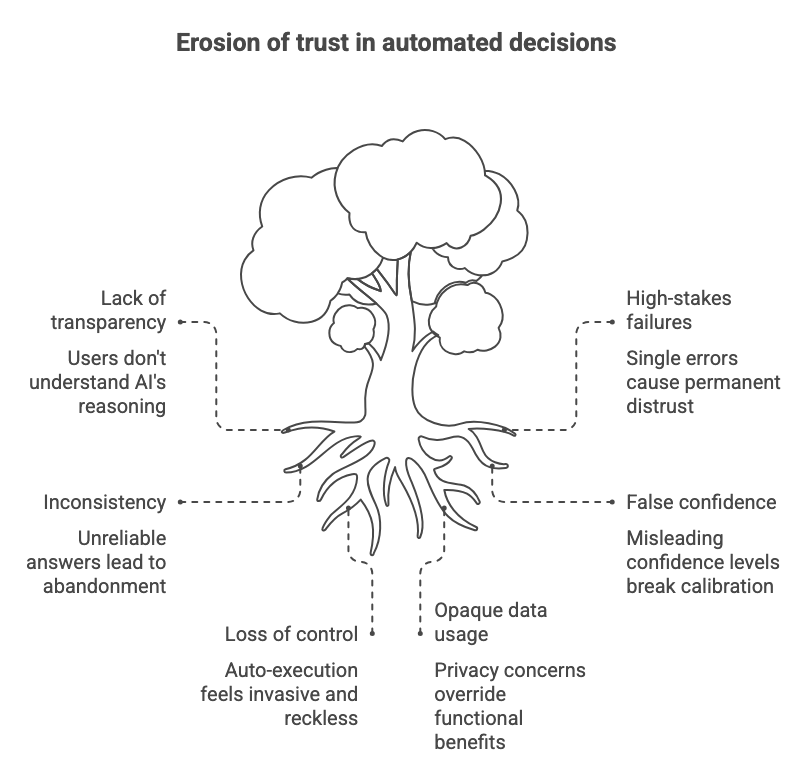
✅ Showing your work When the AI explains its reasoning, users can evaluate whether that reasoning makes sense. “I suggested this article because you read similar topics last week” is trustable. “Here’s a suggested article” with no explanation is not.
✅ Starting small and earning trust over time AI features that begin with low-stakes suggestions and gradually take on more responsibility build trust. Jumping straight to high-stakes automation breaks it. (Source: Progressive Trust research, MIT)
✅ Letting users verify before committing “Here’s what I’ll do, confirm to proceed” beats “I already did this” by a massive margin. Preview and confirm gives users control. Auto-execution without confirmation feels reckless.
✅ Being transparent about confidence levels “I’m 95% confident this is correct” vs “I’m 60% confident, you should double-check” sets appropriate expectations. Users can decide how much to trust based on stated confidence.
✅ Providing easy undo If users know they can reverse AI decisions easily, they’re more willing to try them. “Undo” is a trust-building feature, not just a correction mechanism.
✅ Explaining limitations upfront “This works well for X but struggles with Y” builds more trust than pretending the AI is perfect and having users discover the limitations through failure.
What destroys trust in AI:
❌ One bad outcome in a high-stakes context AI that gets financial calculations wrong once, medical suggestions wrong once, or legal advice wrong once loses trust permanently. High-stakes failures have disproportionate impact.
❌ Inconsistency If the AI gives different answers to the same question at different times without clear reason, users conclude it’s unreliable and stop using it.
❌ No explanation when users ask “why?” If users can’t understand why the AI made a decision and the system doesn’t explain, they assume it’s arbitrary or broken.
❌ False confidence When AI presents wrong answers with the same confidence as right answers, users can’t calibrate their trust. They either trust nothing or trust everything and get burned.
❌ Taking away control without permission Auto-applying AI suggestions without user confirmation feels invasive. Users want to be in the loop, not replaced by the loop.
❌ Opaque data usage When users don’t know what data the AI is using or how it’s being stored, privacy concerns override any functional benefits. “What does this have access to?” becomes the dominant question.
💡 Reality check: Users don’t need perfect AI. They need AI they can understand, verify, and control. Accuracy matters less than explainability.
Real quick. This matters for your career.
🎯 UXCON26: Where AI Meets Real Design Problems
You know what’s funny about the AI conversation in UX right now? Everyone’s talking about it. Almost nobody’s doing it well. The gap between AI hype and AI that users actually trust is massive.
That gap is where opportunities are. The designers who figure out how to make AI features trustable, explainable, and actually useful? They’re going to be in demand for the next decade.
UXCon26 has an entire track on designing for AI and emerging tech. Not the hype. Not the speculation. The actual design patterns that work. The research on trust. The case studies from teams who shipped AI features users love instead of avoid.
You could wait for all this to become blog posts and online courses six months from now. Or you could learn it directly from the people solving these problems right now.
The designers who understand AI trust design before everyone else figures it out? They’re not going to struggle for work.
Alright, back to building trust.
Design patterns that build AI trust vs. destroy it
Let’s get specific about interface patterns. Some design choices build trust in AI features. Some destroy it. Here’s what works and what doesn’t.
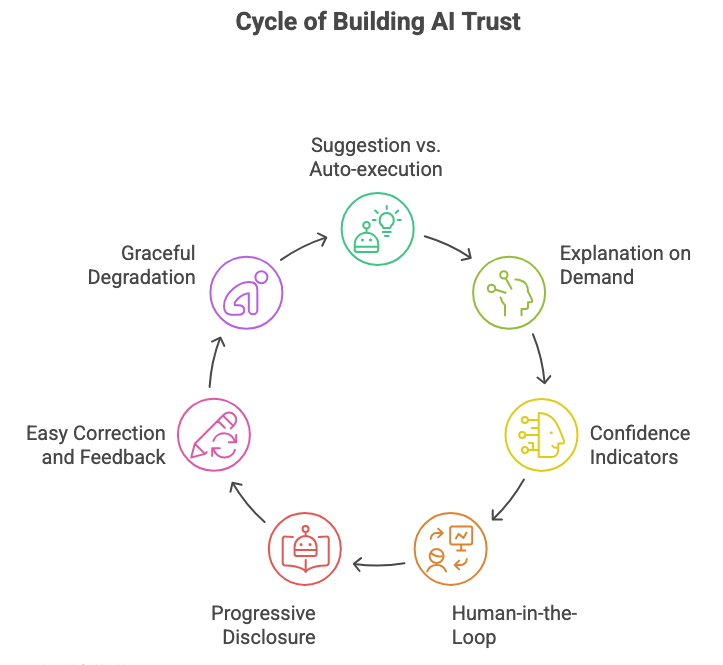
Pattern 1: Suggestion vs. Auto-execution
❌ Trust-destroying: AI automatically completes your sentence, fills in form fields, or takes action without asking.
✅ Trust-building: AI suggests completions, shows preview of what it would fill in, and waits for confirmation before acting.
Why it works: Users stay in control. They evaluate the AI’s suggestion and decide whether to accept it. This builds confidence in the AI’s judgment over time.
Example: Gmail’s Smart Compose suggests text but doesn’t auto-send. Grammarly suggests edits but doesn’t auto-apply them. You choose what to accept.
Pattern 2: Explanation on demand
❌ Trust-destroying: AI makes a decision with no explanation available anywhere.
✅ Trust-building: AI provides a clear, simple explanation that users can access when they want it. “Why this recommendation?” link or tooltip.
Why it works: Users who want to understand can understand. Users who just want results can skip the explanation. Both groups are served.
Example: Spotify’s “Why this song?” feature shows why songs appear in your recommendations. Netflix used to have this. Users trusted recommendations more when explanations were available. (Source: Netflix recommendation research)
Pattern 3: Confidence indicators
❌ Trust-destroying: AI presents all outputs with equal confidence, whether it’s sure or guessing.
✅ Trust-building: AI clearly communicates confidence: “High confidence,” “Medium confidence,” “This is a guess, please verify.”
Why it works: Users can calibrate their trust appropriately. They know when to rely on AI and when to double-check manually.
Example: Google Maps shows “Uncertain traffic conditions” when it doesn’t have good data. Weather apps show confidence ranges. This sets appropriate expectations.
Pattern 4: Human-in-the-loop for high-stakes decisions
❌ Trust-destroying: AI makes high-stakes decisions (financial, medical, legal) autonomously.
✅ Trust-building: AI provides analysis and suggestions, but always requires human confirmation for consequential actions.
Why it works: Accountability stays with humans. Users don’t feel like they’re handing over critical decisions to a black box.
Example: Medical diagnosis AI assists doctors, doesn’t replace them. Financial planning AI suggests strategies, doesn’t auto-execute trades.
Pattern 5: Progressive disclosure of AI involvement
❌ Trust-destroying: Hiding that AI is involved, then users discover it later and feel deceived.
✅ Trust-building: Being upfront about AI involvement but not making it the focus. “AI-assisted” or “Smart suggestions powered by AI.”
Why it works: Transparency builds trust. Users appreciate knowing when they’re interacting with AI vs. deterministic logic.
Example: GitHub Copilot is clearly labeled as AI. Notion AI is clearly indicated with special formatting. No surprises.
Pattern 6: Easy correction and feedback
❌ Trust-destroying: When AI is wrong, users can’t easily fix it or teach it to do better.
✅ Trust-building: One-click correction: “Not what I wanted” or thumbs down. Bonus points if users can see the AI improve based on their feedback.
Why it works: Users feel heard and in control. They’re training the AI to work better for them specifically, which increases investment and trust.
Example: Spotify’s “Don’t play this artist” immediately updates recommendations. Users see their feedback matter.
Pattern 7: Graceful degradation and fallback
❌ Trust-destroying: When AI fails, the entire feature breaks or gives an unhelpful error.
✅ Trust-building: When AI fails, system gracefully falls back to manual mode or provides a clear alternative path.
Why it works: Users don’t get stuck. AI becomes an enhancement, not a dependency. Trust remains even when AI fails because the product still works.
Example: Voice assistants that fall back to manual controls. Search that falls back to traditional keyword search when AI interpretation fails.
How to handle AI failures without losing users forever
AI will fail. That’s not a question of if, but when. How you handle those failures determines whether users keep trusting you or abandon the feature entirely.
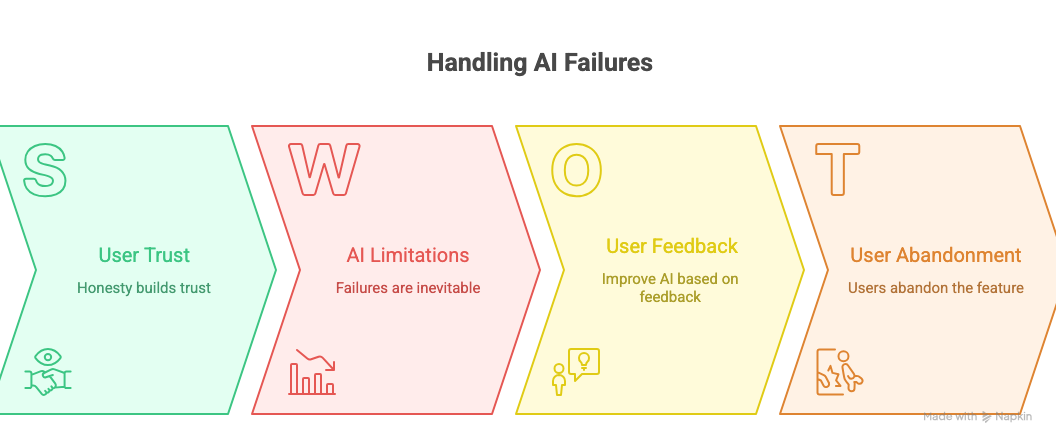
Strategy 1: Acknowledge failures immediately and specifically
Don’t hide errors. Don’t blame users. Don’t give generic “something went wrong” messages.
❌ “An error occurred. Please try again.” ✅ “I couldn’t understand that request. Try rephrasing it, or use the manual option below.”
The second version tells users what went wrong and gives them a path forward.
Strategy 2: Make it easy to report problems
Add a visible “This isn’t right” or “Report issue” button directly on AI-generated content. Make it one click to flag problems.
Then actually review those reports and improve the AI based on them. If users see their feedback leading to improvements, they’ll stick with you through failures.
Strategy 3: Set expectations about AI limitations upfront
Don’t oversell your AI’s capabilities. Be honest about what it can and can’t do.
✅ “This feature works best with English text and may struggle with technical jargon.” ✅ “AI suggestions are based on common patterns and might not fit your specific needs.”
When users know the limitations, failures feel expected rather than shocking.
Strategy 4: Provide manual alternatives alongside AI
Never make AI the only way to accomplish something. Always offer a manual path.
If the AI search fails, traditional keyword search should still work. If AI writing assistant gets stuck, manual writing should still be possible. Users need escape hatches.
Strategy 5: Learn from failures publicly (when appropriate)
If your AI feature has a public failure, acknowledge it and explain what you’re doing to fix it. Transparency builds trust even in failure.
Example: When GitHub Copilot suggested copyrighted code, they acknowledged the problem and explained their mitigation efforts. Users appreciated the honesty.
Strategy 6: Don’t let one domain failure contaminate everything
If your AI writing assistant fails at technical documentation but works well for marketing copy, make sure users know that. Segment trust by use case.
“This feature works well for X but we’re still improving it for Y” lets users trust selectively rather than rejecting the whole feature.
🎯 Take-home: Users will forgive AI failures if you’re honest about them, provide alternatives, and show you’re improving. What they won’t forgive is hiding failures or blaming them for the AI’s mistakes.
📦 Resource Corner
People + AI Guidebook (Google) Comprehensive resource from Google on designing AI experiences users can trust. Covers explainability, feedback, errors, and more with real examples.
Human-Centered AI (Stanford HAI) Research and guidelines on making AI systems that work with humans rather than replacing them. Strong on trust and transparency.
IBM Design for AI IBM’s design principles and patterns for AI products. Good practical examples of trust-building interfaces.
Algorithm Aversion Research (Wharton) Academic research on why people distrust algorithms even when they’re more accurate than humans. Essential reading for understanding AI trust.
Designing for Trust (IDEO) Case studies and frameworks for building trust in digital products, including AI-powered ones.
AI Incident Database Real-world examples of AI failures and their consequences. Study these to understand what can go wrong and how to prevent it.
The UX of AI (Josh Clark) Book focused specifically on interface design patterns for AI and machine learning features. Practical and example-heavy.
💭 Final Thought
The AI race is creating a weird paradox: companies are frantically building AI features to stay competitive, but users are increasingly skeptical and resistant to using them.
You can have the most technically sophisticated AI in the world. Perfect accuracy. Lightning-fast responses. Cutting-edge capabilities. And if users don’t trust it, they won’t use it. You’ve built expensive technology that sits unused.
The winners in AI won’t be the companies with the best models. They’ll be the companies that figure out how to make AI trustworthy. How to keep humans in control while still providing automation benefits. How to explain decisions in ways users can understand. How to fail gracefully and learn from mistakes.
This is fundamentally a design problem, not just a technical one. The technology is getting better every month. But the trust gap isn’t closing on its own. That requires intentional design decisions about transparency, control, explainability, and respect for user agency.
If you’re working on AI features right now, your job isn’t to make the AI smarter. Your job is to make it trustable. Those are different goals, and the second one matters more for adoption.
Build AI that explains itself. Build AI that lets users stay in control. Build AI that degrades gracefully and fails honestly. Build AI that earns trust instead of demanding it.
That’s how you make AI features people actually use.


