



You’ve seen the articles:
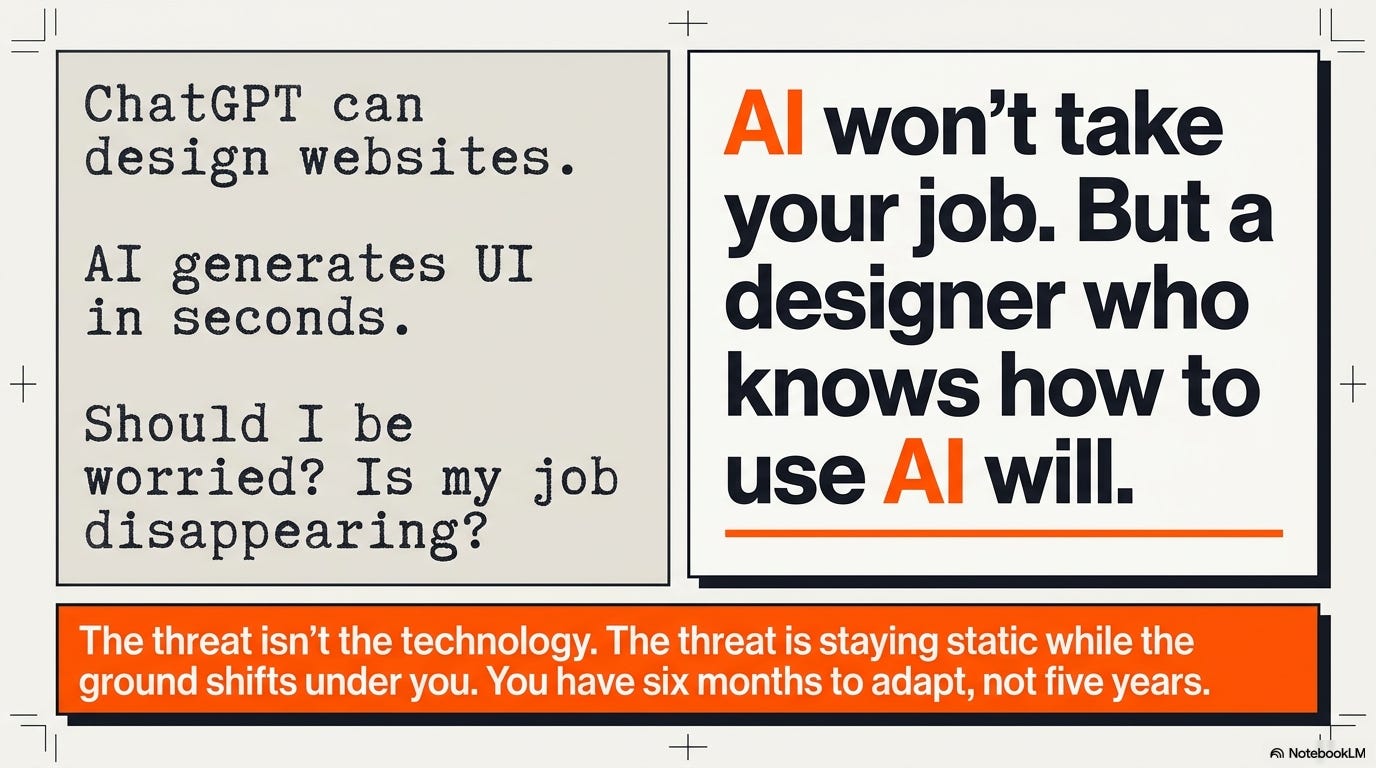
“ChatGPT can design entire websites now.”
“AI generates production-ready UI in seconds.”
“Designers replaced by automation at major tech company.”
And you’re wondering: Should I be worried? Should I learn AI? Is my job about to disappear?
Here’s the uncomfortable answer: AI won’t take your job. But a designer who knows how to use AI will.
The threat isn’t the technology. The threat is staying static while the ground shifts under you. And right now, that ground is moving faster than most designers realize.
This isn’t another “AI is coming” panic piece. This is about what’s actually happening in 2025, who’s surviving it, who’s not, and what you need to do about it in the next six months,, not five years from now.
What’s really changing:
Why junior design roles are vanishing (and it’s not just AI)
The skills that actually protect you from automation
What “AI-assisted design” means in practice right now
How to upskill without learning to code or becoming a prompt engineer
Which designers are getting hired in 2025 vs. which ones aren’t
What companies actually want when they say “AI literacy”
The junior designer bloodbath nobody’s talking about
Let’s start with what’s actually happening in the job market right now, because the data is brutal.
Entry-level UX roles are down 67% from 2022. (Source)
That’s not a recession dip. That’s structural change.
Why companies aren’t hiring juniors anymore:
AI does what juniors used to do
Junior designers traditionally handled:
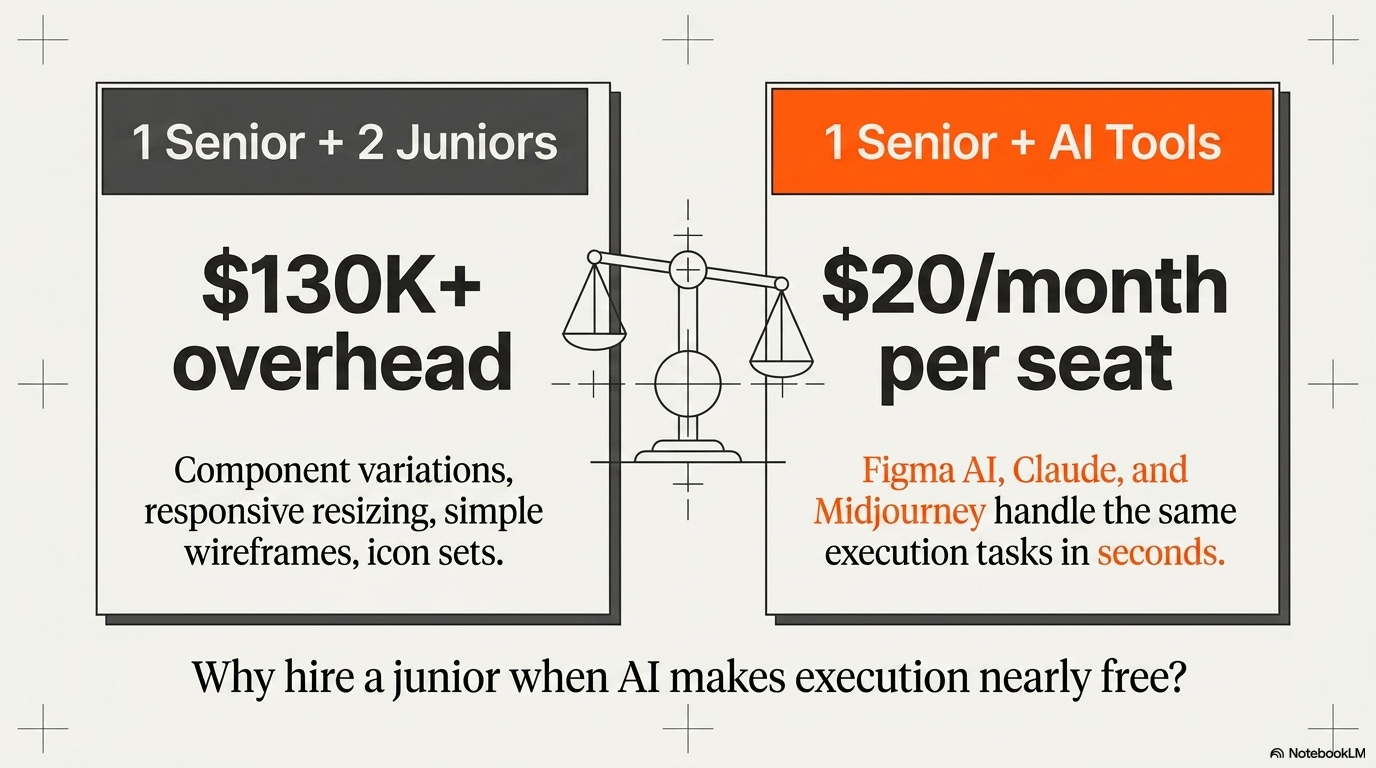
Creating component variations
Resizing designs for different breakpoints
Generating icon sets and illustrations
Building simple wireframes from requirements
Cleaning up design files and documentation
Figma AI, Midjourney, ChatGPT, and Claude now do all of this in seconds. A senior designer with AI tools produces what used to require a senior + two juniors.
The math is simple: Why hire a junior at $65K when your existing team can use AI tools for $20/month per person?
The skill gap widened, fast
Five years ago, the gap between junior and mid-level was: more experience, more speed, more judgment.
Today, that gap is: strategic thinking, stakeholder management, business acumen, complex problem-solving.
AI accelerated execution skills so much that companies don’t need people who are just “learning to execute.” They need people who can think strategically from day one.
Bootcamp grads who can make pretty screens but can’t frame business problems or navigate stakeholder conversations? The market doesn’t need them anymore. AI made execution cheap. Thinking is what’s expensive.
Remote work killed the apprenticeship model
Junior designers used to learn by osmosis: sitting next to seniors, overhearing conversations, seeing how decisions really get made.
Remote work + economic pressure killed that. Companies won’t invest in developing juniors when they can hire experienced designers who produce value immediately.
The path of “graduate bootcamp → get hired junior → learn on the job → promote to mid-level” is functionally dead at most companies.
The survivors: Juniors who don’t act junior
The few junior roles that still exist? They’re going to people who:
✓ Already understand AI tools and use them to amplify output
✓ Can talk about business impact, not just design process
✓ Have built real things (even if small) that show strategic thinking
✓ Communicate like mid-level designers who happen to have less experience
✓ Bring adjacent skills (research, data, front-end, domain expertise)
If you’re purely “I learned Figma and took a UX bootcamp,” you’re competing with AI for execution tasks. And AI is winning.
Reality check: The market isn’t going to magically create more junior roles again. The shift is permanent. Either level up fast or get left behind.
What “AI-native designer” actually means (and what it doesn’t)
Every job post now says “AI experience preferred” or “familiarity with AI tools a plus.”
But what does that actually mean? Because most designers are guessing wrong.
❌ What companies DON’T mean:
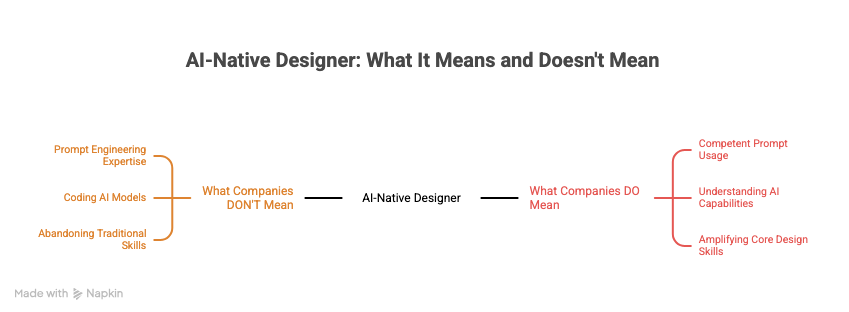
“You need to learn prompt engineering”
You don’t need to be a prompt expert. You need to be competent enough to get results. The difference between an expert prompt and a decent prompt is maybe 15% better output. That’s not what gets you hired.
“You need to code AI models”
Nobody expects designers to train models or understand ML architecture. That’s not the job. Understanding what AI can and can’t do? Yes. Building it yourself? No.
“You need to abandon traditional design skills”
AI doesn’t replace core design skills, composition, hierarchy, user psychology, research synthesis, strategic thinking. It amplifies them. The fundamentals matter more than ever because AI handles the rote stuff.
✓ What companies ACTUALLY mean:
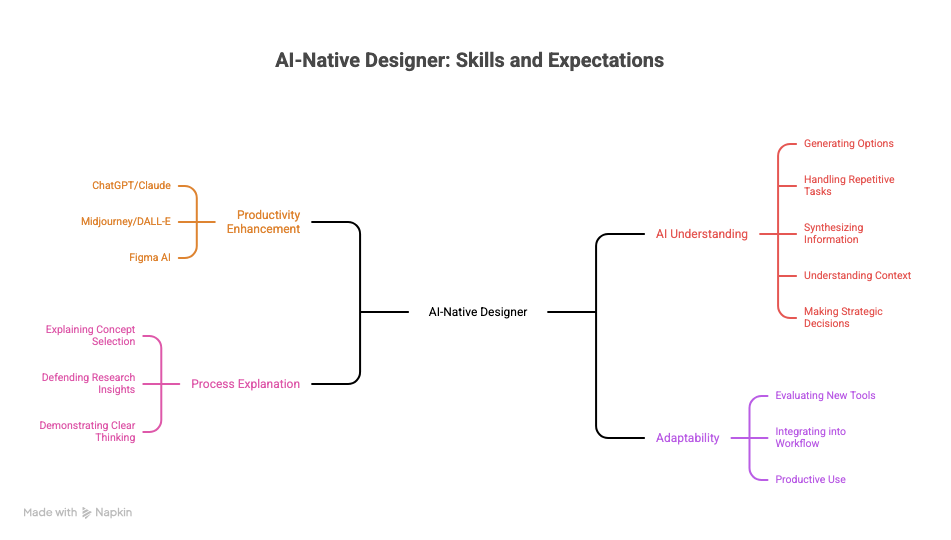
“You use AI to work faster and better”
Can you use ChatGPT/Claude to draft research plans, synthesize interview data, generate copy variations?
Can you use Midjourney/DALL-E to rapidly explore visual directions instead of spending hours in Photoshop?
Can you use Figma AI to speed up component creation and responsive design?
If these tools make you 2-3x more productive than someone who doesn’t use them, you’re hireable. If you’re still doing everything manually, you’re expensive.
“You understand what AI can and can’t do”
Knowing when to use AI vs. when human judgment is critical is the skill.
AI is great for:
Generating options quickly for evaluation
Handling repetitive execution tasks
Synthesizing large amounts of information
Creating first drafts of basically anything
AI is terrible for:
Understanding context and nuance
Making strategic decisions with competing priorities
Navigating organizational politics
Knowing what problem to solve in the first place
Designers who know this distinction and use AI strategically? Valuable.
Designers who either ignore AI entirely or let it make decisions it shouldn’t? Not valuable.
“You can explain your process even when AI was involved”
If you used AI to generate concepts, can you articulate why you picked one over the others?
If you used AI to draft research synthesis, can you defend the insights and explain what the raw data showed?
Using AI and still demonstrating clear thinking is the bar. Using AI as a crutch that prevents you from developing judgment is the problem.
“You’re adaptable as tools evolve”
AI tools change every month. New capabilities. New interfaces. New workflows.
Companies want people who can learn new tools quickly and integrate them into their process. Not people who learned one specific tool and can’t adapt.
The skill isn’t “I know how to use ChatGPT 4.” The skill is “I can evaluate new tools, figure out how they fit my workflow, and start using them productively within days.”
The real signal companies look for:
Can you produce senior-level output with AI assistance even if you’re mid-level?
That’s it. That’s what “AI literacy” means in hiring. If AI lets you punch above your weight class, you’re valuable. If you’re ignoring AI and working at the same pace as three years ago, you’re getting lapped by people who aren’t.
Pause for something urgent.
🎯 Your Next Move: A 4-Hour Reality Check That Actually Helps
Look, you can read another article about AI and upskilling and feel motivated for 20 minutes before going back to scrolling LinkedIn and wondering why your applications go nowhere.
Or you can spend four hours in a room with people who are actually doing something about it.
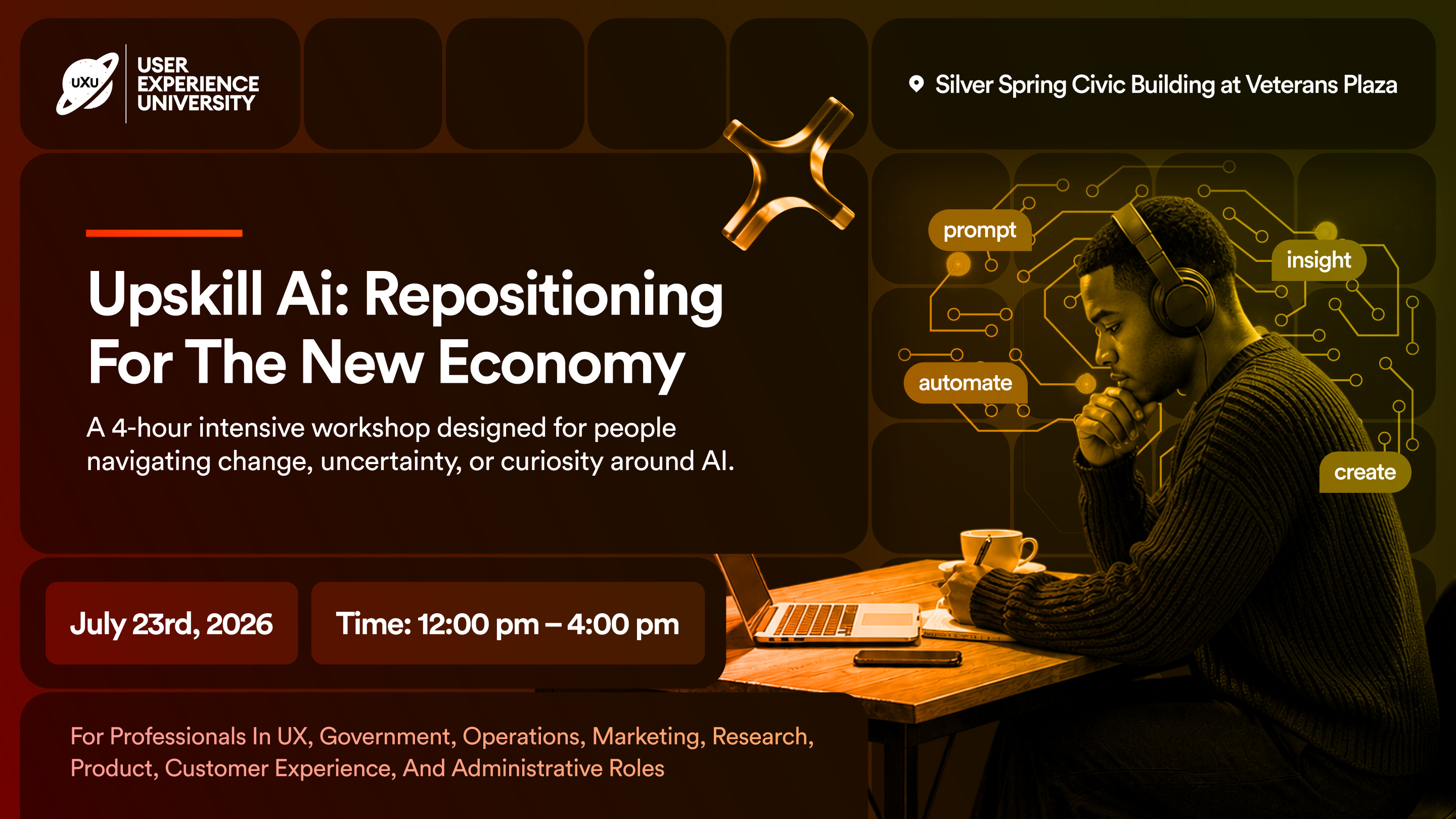
July 23, 2025 · 12:00–4:00 PM Silver Spring Civic Building at Veterans Plaza 1 Veterans Pl, Silver Spring, MD 20910
This isn’t a talk. You’re not sitting there listening to someone pontificate about the future of work. You’re working, on your actual resume, your actual positioning, your actual next move, with AI tools, with real feedback, with people who do this professionally.
You walk in unclear. You walk out with something finished. A resume that’s actually competitive. A pitch that lands. A clearer sense of where you fit in this new economy.
No jargon. No theory. No “10 trends to watch in 2026.” Just practical work on your real stuff with people who are serious about their next move.
July 23, 2025 · 12:00–4:00 PM
Silver Spring Civic Building at Veterans Plaza
1 Veterans Pl, Silver Spring, MD 20910
Four hours. Real work. Real results. That’s it.
The skills that actually protect you (spoiler: it’s not Figma)
AI is automating execution. What it can’t automate and won’t for years is the messy, human, strategic things.
Here’s what actually protects your career:
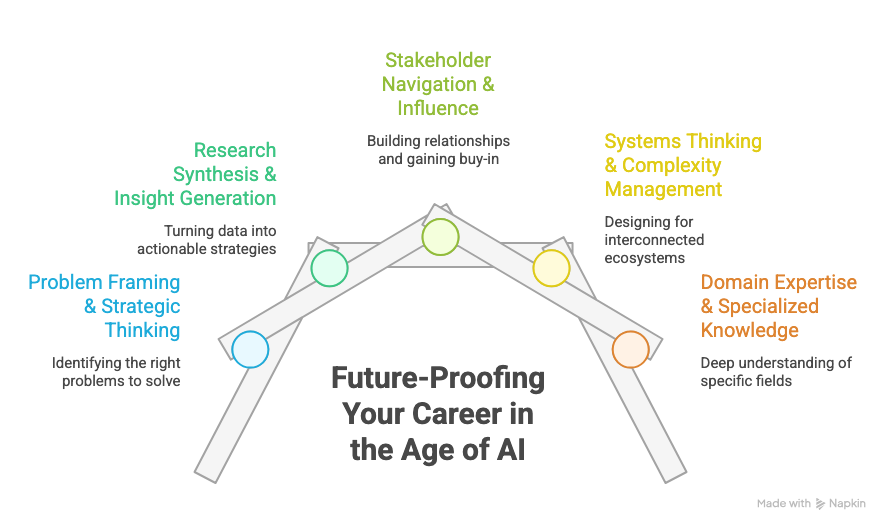
🛡️ 1. Problem framing & strategic thinking
What it is: Figuring out what problem to solve before anyone starts designing solutions.
Why it matters: AI can generate 100 solutions. It can’t tell you which problem is worth solving or why. That requires understanding business context, user needs, technical constraints, and organizational politics.
How to build it:
Stop jumping to solutions. Spend more time in the problem space.
Ask “why” five times before accepting a project brief.
Study how experienced designers frame problems—notice the questions they ask.
Practice writing problem statements that are specific, testable, and valuable.
The signal: When stakeholders come to you with “we need feature X” and you can reframe it as “actually, the underlying problem is Y, and here are three ways to solve it”, you’re doing strategic work AI can’t touch.
🛡️ 2. Research synthesis & insight generation
What it is: Turning raw research data into actionable insights that change product direction.
Why it matters: AI can transcribe interviews and identify themes. It cannot understand context, read between the lines, or connect insights to business strategy. Human judgment is still required.
How to build it:
Do more research. Even small-scale. Interview 5 users. Watch 3 usability tests.
Practice synthesis: take raw transcripts and find the non-obvious patterns.
Study great research case studies, notice how insights are framed.
Learn to write insights that are specific enough to drive decisions.
The signal: When you can say “Here’s what users said, here’s what they actually meant, and here’s what we should do about it” with confidence, you’re doing work AI assists with but doesn’t replace.
🛡️ 3. Stakeholder navigation & influence
What it is: Getting buy-in for your work. Navigating politics. Translating between design and business.
Why it matters: AI can’t attend meetings, read the room, build relationships, or convince skeptical executives. This is purely human work.
How to build it:
Volunteer for cross-functional projects that require stakeholder management.
Practice translating design decisions into business language.
Learn to present work persuasively, this is a learnable skill.
Build relationships with PMs, engineers, executives. Influence happens through relationships.
The signal: When stakeholders trust your judgment and advocate for your work even when you’re not in the room, you’ve built something AI never will.
🛡️ 4. Systems thinking & complexity management
What it is: Designing for ecosystems, not just screens. Understanding how decisions ripple across products, teams, and time.
Why it matters: AI optimizes locally. It can’t see the second-order effects of design decisions across a complex system. Humans (barely) can.
How to build it:
Study design systems, not just as component libraries, but as organizational tools.
Think in flows and journeys, not just screens.
Consider edge cases, error states, and what happens when things break.
Ask “what else does this affect?” for every design decision.
The signal: When you catch problems that would have caused issues three months post-launch, you’re thinking systemically.
🛡️ 5. Domain expertise & specialized knowledge
What it is: Deep understanding of a specific industry, user type, or problem space.
Why it matters: AI has general knowledge. It doesn’t have 5 years of understanding how healthcare billing works or what enterprise procurement buyers actually care about. Domain expertise is built through experience, not training data.
How to build it:
Pick an industry or problem space and go deep.
Learn the jargon, the regulations, the user behaviors, the business models.
Become the person who understands this domain better than anyone else on your team.
Build specialized pattern recognition AI doesn’t have.
The signal: When people come to you specifically because you understand their domain, you’re irreplaceable.
The pattern:
AI automates tasks. Humans handle context, judgment, relationships, and complexity.
If your job is primarily task execution (make this screen, run this test, generate these variations), you’re competing with AI.
If your job is primarily thinking, influencing, and navigating complexity, you’re using AI as a tool that makes you better.
What to actually do in the next 90 days
Enough theory. Here’s your practical roadmap for the next three months:
Month 1: Get functional with AI tools
Week 1-2: Build basic AI literacy
Spend 30 min/day using ChatGPT or Claude for design work
Use it to: draft research plans, generate copy variations, synthesize notes, brainstorm concepts
Goal: Make AI assistance a daily habit, not a novelty
Week 3-4: Explore visual AI
Experiment with Midjourney or DALL-E for concept exploration
Use Figma AI features for production work
Goal: Understand what visual AI can and can’t do well
Deliverable: Use AI in one real project this month. Document what worked and what didn’t.
Month 2: Build one AI-resistant skill deeply
Pick ONE from the list above (problem framing, research, stakeholder management, systems thinking, domain expertise).
Commit 10 hours/week for 4 weeks to developing it:
If research: Conduct 12 user interviews, synthesize findings, present insights
If stakeholder management: Lead a cross-functional project, practice presenting to non-designers
If problem framing: Take 3 project briefs and reframe them strategically before designing
If domain expertise: Deep-dive one industry, read case studies, learn terminology, understand users
Deliverable: Add one case study to your portfolio that demonstrates this skill at a higher level than before.
Month 3: Position yourself as AI-augmented
Week 1-2: Update all materials
Resume: Add AI tools you use and how they improved output/speed
Portfolio: Show projects where AI made you more effective
LinkedIn: Update headline to signal AI literacy (e.g., “Product Designer | AI-Augmented Workflows”)
Week 3-4: Start applying with new positioning
Target roles that value AI skills + strategic thinking
In applications, mention how AI makes you more productive
In interviews, discuss AI openly—how you use it, what it can’t do, why humans still matter
Deliverable: Apply to 20 positions with your new positioning. Track response rate.
Ongoing: Stay adaptable
Spend 2 hours/month exploring new AI tools as they launch
Join design communities discussing AI (Discord servers, Slack groups)
Share what you learn, teaching solidifies understanding
Keep your skills sharp in things AI can’t do (strategic thinking, research, influence)
The 90-day outcome:
You’re not an AI expert. You’re a designer who uses AI strategically, focuses on high-value human skills, and positions yourself as more valuable than someone who doesn’t.
That’s enough. That’s the bar for 2025.
📦 Resources That Actually Help
Figma AI Documentation
Learn what Figma’s AI features actually do and how to use them in production work.
ChatGPT for Designers (Free Course)
Practical applications of LLMs for design work. No coding required.
Midjourney Prompting Guide
Get past random outputs. Learn to direct visual AI intentionally.
AI for UX Research (Nielsen Norman Group)
Research-backed guidance on using AI in discovery and synthesis.
The UX of AI (Design at Meta)
Case studies from teams designing AI-powered products. Shows real implementation challenges.
💭 Final Thought
The designers panicking about AI are asking the wrong question.
It’s not “Will AI take my job?”
It’s “Am I developing skills that make me more valuable than AI, or am I staying in the zone where AI is cheaper and faster than me?”
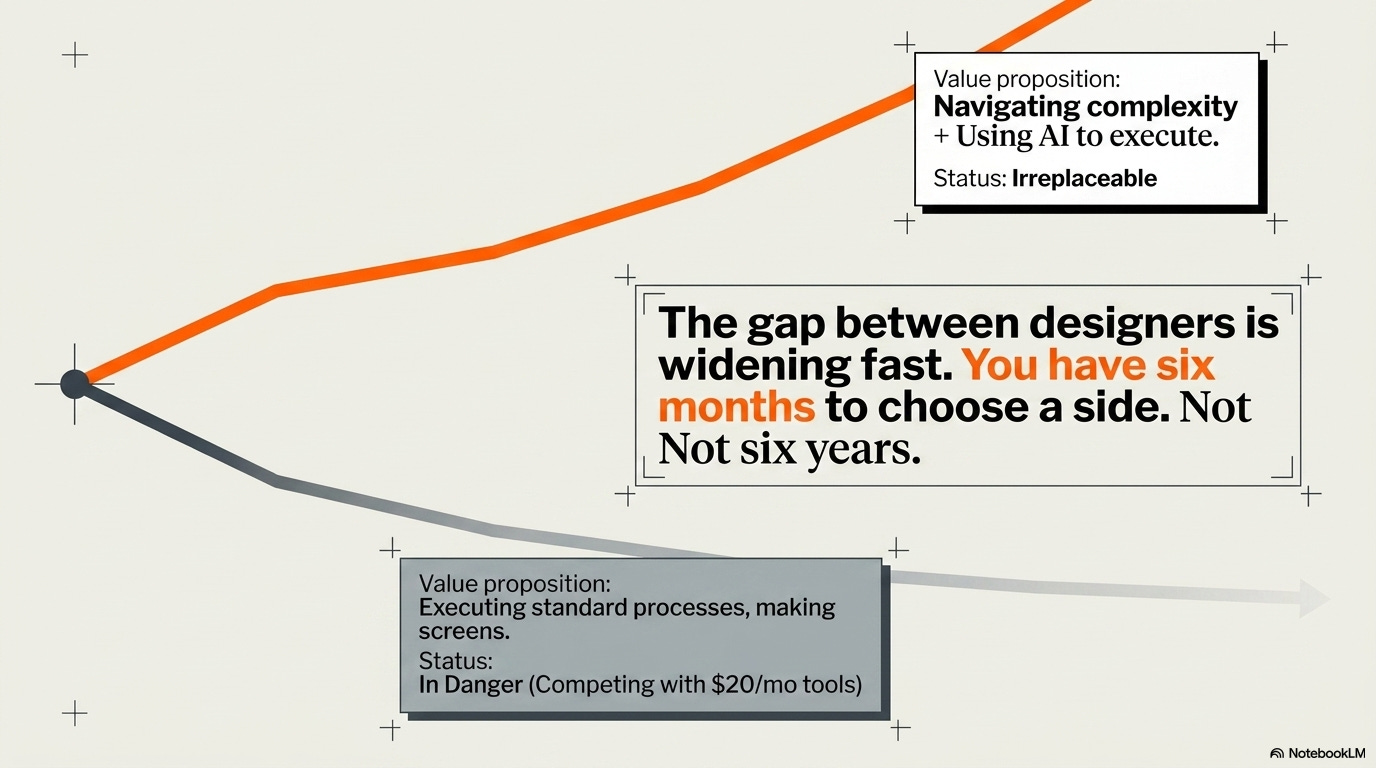
If your value proposition is executing tasks quickly making screens, creating components, running standard processes, you’re in danger. Not because AI is perfect, but because AI is good enough and costs almost nothing.
If your value proposition is thinking strategically, understanding context, navigating complexity, and influencing decisions, you’re fine. Actually, you’re more valuable than ever, because AI makes you faster at the execution parts.
The gap between designers is widening fast. The ones who adapt are pulling ahead. The ones who resist are falling behind. There’s no standing still anymore.
You have six months to figure out which side of that gap you’re on.
Not six years. Six months.
Choose accordingly.
— The UXU Team
P.S. If you’re in the DC/Maryland area and done reading articles that don’t help: July 23rd workshop. Four hours. Real work. No more theory.


