



For years, UX had a pretty clear home: the screen.
We designed what happened when someone tapped a button, opened a menu, filled in a form, or moved from one page to the next. The screen was the interface, and for the most part, designing the screen was the job.
But that definition is starting to feel a little too small.
Today, someone can ask their device a question without touching it. A car can respond to a glance, gesture, or voice command. Headsets can place interfaces directly into physical space. And some products are beginning to remove the visible interface almost entirely.
Welcome to the increasingly multimodal world of UX.
This does not mean screens are going away. Your Figma files are safe. 😅 It means screens are becoming just one part of a much bigger interaction system alongside voice, gesture, movement, context, sound, spatial computing, and even interfaces that seem to disappear altogether.
And that creates a new challenge for UX professionals: How do you design an experience when there is no obvious screen to design?
That is what we are exploring in this issue, including:
Why voice interfaces are getting interesting again
What “multimodal” actually means in practice
The rise of Zero UI and invisible interactions
The new UX questions these experiences introduce
Why researchers may have an especially important role to play
And, of course, this week’s Resource Corner
Why voice finally works this time
Voice has been “the future” for years. The problem was that it rarely felt very futuristic.
Early assistants were awkward, overly literal, and easy to confuse. You had to phrase commands just right, repeat yourself often, and eventually many people simply went back to tapping.
That is changing.
Today’s voice interfaces are much better at understanding natural language, maintaining context, and responding in a way that feels more conversational. That makes them especially useful in moments where screens create friction: driving, cooking, exercising, or whenever your hands and eyes are already busy.
Nike’s Audio-Guided Runs are a good example. Runners get coaching and pacing cues without needing to look at a phone mid-stride. Voice is not a gimmick there. It is simply the better interface for the moment.
That is the bigger shift: voice is not replacing screens. It is becoming one part of a multimodal experience, where the best interface depends on what the user is doing.
What multimodal design actually means
Multimodal design is simply the idea that people should not have to rely on one way of interacting with a product.
Voice, touch, text, gesture, and visuals can work together, with each taking over when it makes the most sense.
Think about asking a smart display for a recipe while your hands are covered in flour. Voice is the easiest way to make the request, but a screen is better for showing the steps. One handles the input, the other handles the output.
That is the real shift: UX is becoming less about designing individual screens and more about designing the handoffs between different modes. A voice command might trigger a visual confirmation. A gesture might prompt audio feedback. The experience has to feel continuous, even when the interaction method changes.
It also makes products more accessible. Giving people multiple ways to interact means they can choose what works best for their abilities, environment, or situation.
The future is not voice instead of screens. It is knowing which mode should do what, and when.
Zero UI and the interfaces you cannot see
Zero UI asks a different question: what happens when there is no screen at all?
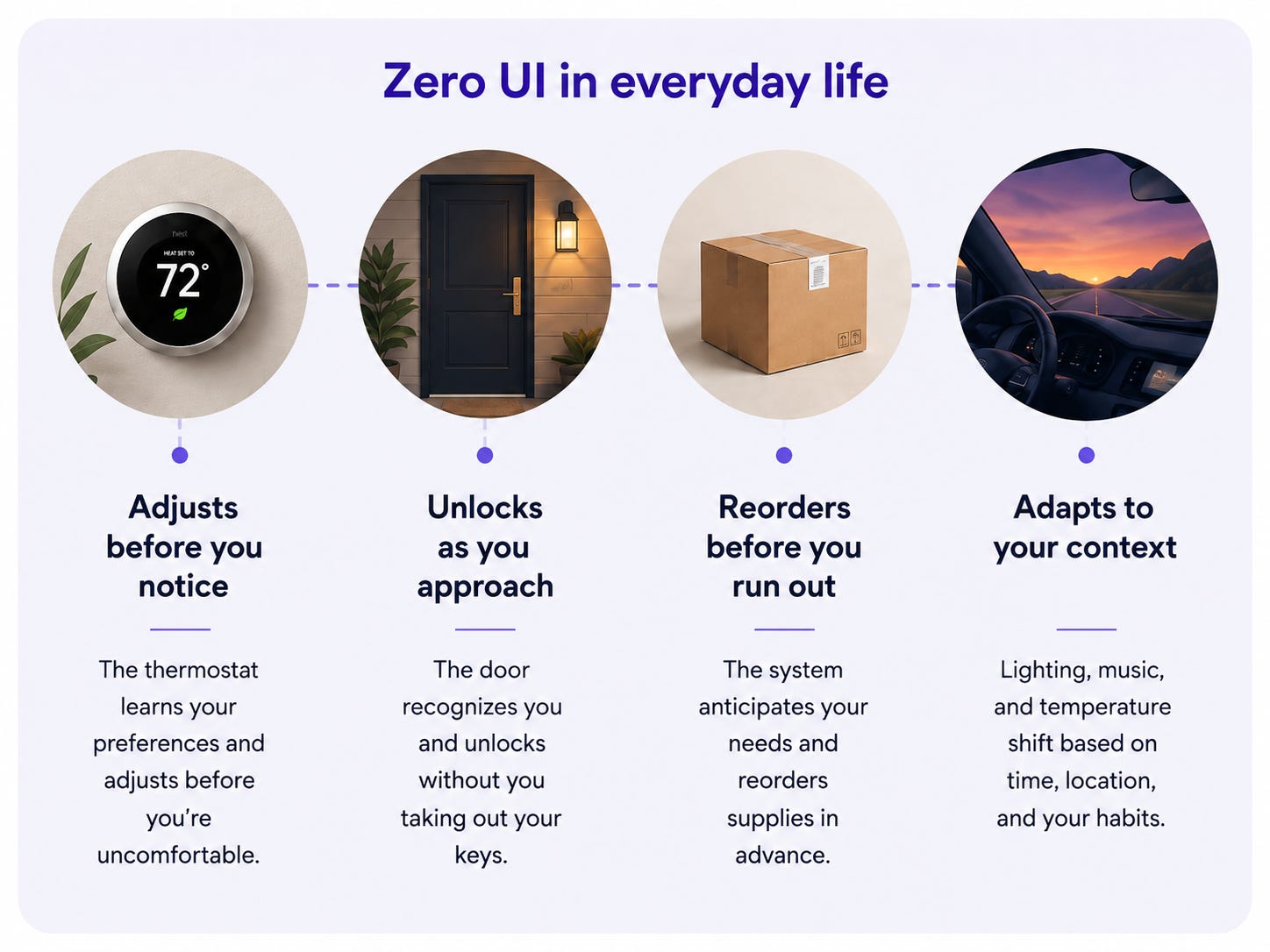
Instead of buttons and menus, interaction happens through voice, gestures, sensors, and systems that anticipate what you need.
A thermostat adjusts before you feel cold. A door unlocks as you approach. A product is reordered before it runs out.
In Zero UI, good UX is felt, not seen. The interaction works so smoothly that the interface almost disappears.
But invisible interfaces create new challenges.
How do people know what the system can do?
How do they correct it when it gets something wrong?
And how do they stay in control when the system acts on their behalf?
That is where the real design work begins: making invisible interactions feel helpful without making them feel mysterious, intrusive, or manipulative.
Quick pause...
🎯 UXCON26 · One Day · The Whole Community
Shifts like this one, from screens to systems, are exactly the kind of conversation the field needs to have out loud, in person, with the people actually working through it.
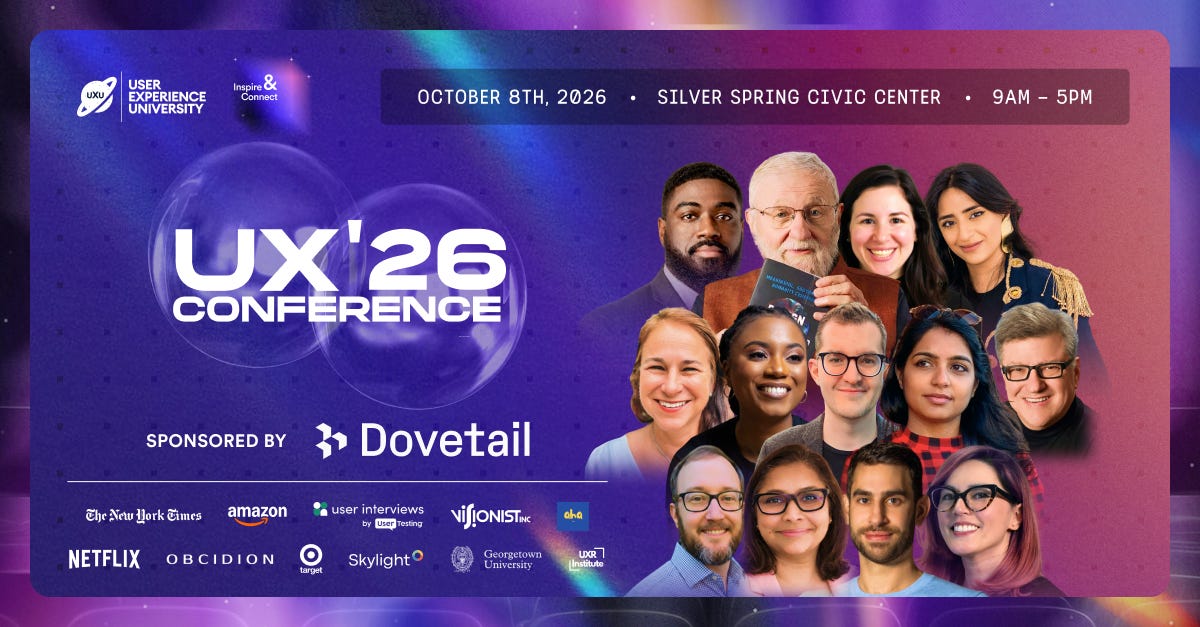
On October 8, 2026, the UX community comes together for a full day built around where this work is really heading.
Headlining is Don Norman, the person who coined the term User Experience. Alongside him are practitioners from Netflix, The New York Times, Target, UserTesting, and Skylight, hosted by Jeremy Miller of the Beyond UX Design podcast.
Three keynotes. Two panels. One room. The conversations that stay with you long after the day ends.
41 DAYS TO GO!!!
The new design questions this raises
As interfaces become more multimodal and less visible, the questions UX teams need to ask start to change too.
🔵 What works best in this moment?
Voice is great when hands are busy. Touch is better for precision. Visuals work best for comparison. The goal is not to choose one mode, but to match the interaction to the context.
🔵 How will the user know it worked?
Without a screen, feedback has to be intentional. Sound, haptics, or visual confirmation can reassure users that the system understood them.
🔵 What happens when it gets it wrong?
Voice can mishear. Gestures can be misread. Smart systems can make bad assumptions. Recovery should be just as carefully designed as the ideal experience.
🔵 Does the user still feel in control?
If a product is adapting, predicting, or acting on someone’s behalf, people should know why and be able to change or stop it.
Where researchers fit into all of this
The less visible the interface becomes, the more important it is to understand the person using it.
Voice and multimodal experiences cannot be understood from static screens alone. Researchers need to study how people actually speak, what they expect the system to understand, where they hesitate, and what they do when it gets something wrong.
Context matters even more. A voice interface used while driving, cooking, or multitasking may behave very differently from one tested in a quiet room. That makes in-context research especially valuable.
And as interfaces become less visible, mental models become critical. Researchers will need to uncover what people think the system can do, why they believe it acted, and whether they still feel in control.
📦 Resource Corner
Voice User Interface Design Guide 2026
A practical guide to modern voice UX, with examples of where voice creates real value.
Designing Voice User Interfaces by Cathy Pearl
A foundational resource on conversation design and what makes voice interactions work.
UX Trends 2026: AI, Zero UI, and Adaptive Design
A useful overview of Zero UI and the broader shift from screens to adaptive systems.
Multimodal Design Principles
A good primer on voice, multimodal interaction, consent, and context-aware design.
Designing Agentive Technology by Christopher Noessel
Essential reading on designing systems that act on a user’s behalf while preserving trust and control.
💭 Final Thought
Screens are not going anywhere. What is changing is that they are losing their monopoly on what counts as an interface.
For a field that has spent years defining itself through layouts, hierarchies, and pixels, that is a real identity shift. The work is moving from “how does this look” to “how does this behave”. That is harder, less visible, and considerably more interesting.
The practitioners who navigate it well will be the ones who understood that all of these modes, screen, voice, gesture, and ambient, are just different ways of meeting a human need, and who kept their attention on the need rather than the medium.
The interface is becoming invisible. The thinking behind it matters more than ever.
Start building the literacy now, before the shift finishes without you.


