



Cast your mind back to 2022……..
The conversation was strong, intense, and mostly theoretical. ChatGPT had just launched. Designers and researchers were arguing on Twitter and Linkedln about whether AI would ever be capable enough to touch real UX work. The general consensus was: not anytime soon. Maybe in a decade. The craft was too human, too nuanced, too contextual for a machine to replicate.
That consensus aged badly. Very badly.
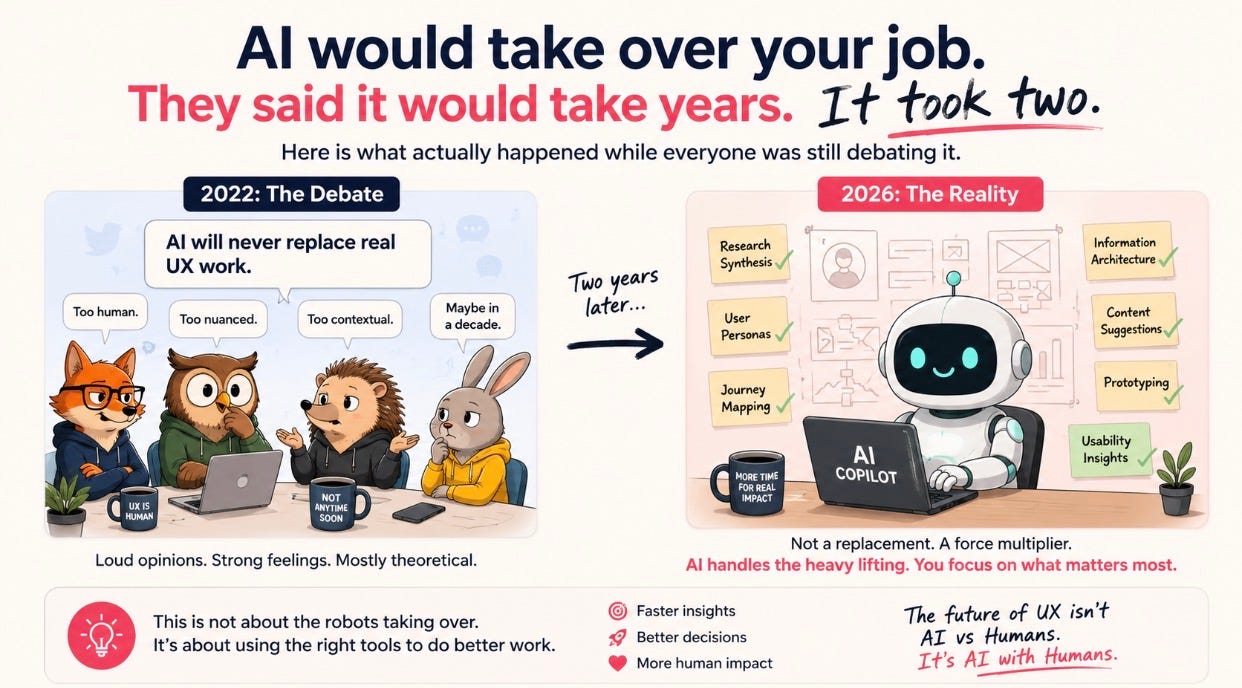
This is not a “the robots are coming” piece. It is something more specific and more useful: an honest look at what AI can actually do to UX work right now, in 2026, and what that means for everyone in this field.
In This Issue:
What everyone got wrong about the timeline
What AI is actually doing in UX right now
🔍 A or B? Guess which one ChatGPT made
The part that still requires a human
What to do with all of this
Resource Corner
What Everyone Got Wrong About The Timeline
In 2022, the predictions were measured in decades. Some said five years before AI could produce anything useful in a design context. Most assumed the creative, empathy-driven nature of UX work made it uniquely resistant.
The actual timeline was closer to two years.
The UI and UX design landscape changed fundamentally between 2025 and 2026. What once took designers three to four hours to wireframe now happens in minutes. UX Design
What changed was not one breakthrough. It was a cascade of them arriving faster than the field could process. Image generation went from novelty to usable. Language models went from autocomplete to reasoning. Design tools started embedding AI directly into existing workflows rather than asking practitioners to switch to new ones. Modern AI understands design systems, maintains visual hierarchy, and outputs production-ready code, not static mockups that require hours of cleanup. UX Design
The people who predicted slow progress were not wrong about the difficulty. They were wrong about the compounding speed of iteration in AI development. What looked like a long road in 2022 turned out to be a very short one.
The UX landscape looks different than it did two years ago.
A practical day to reset how you work in UX
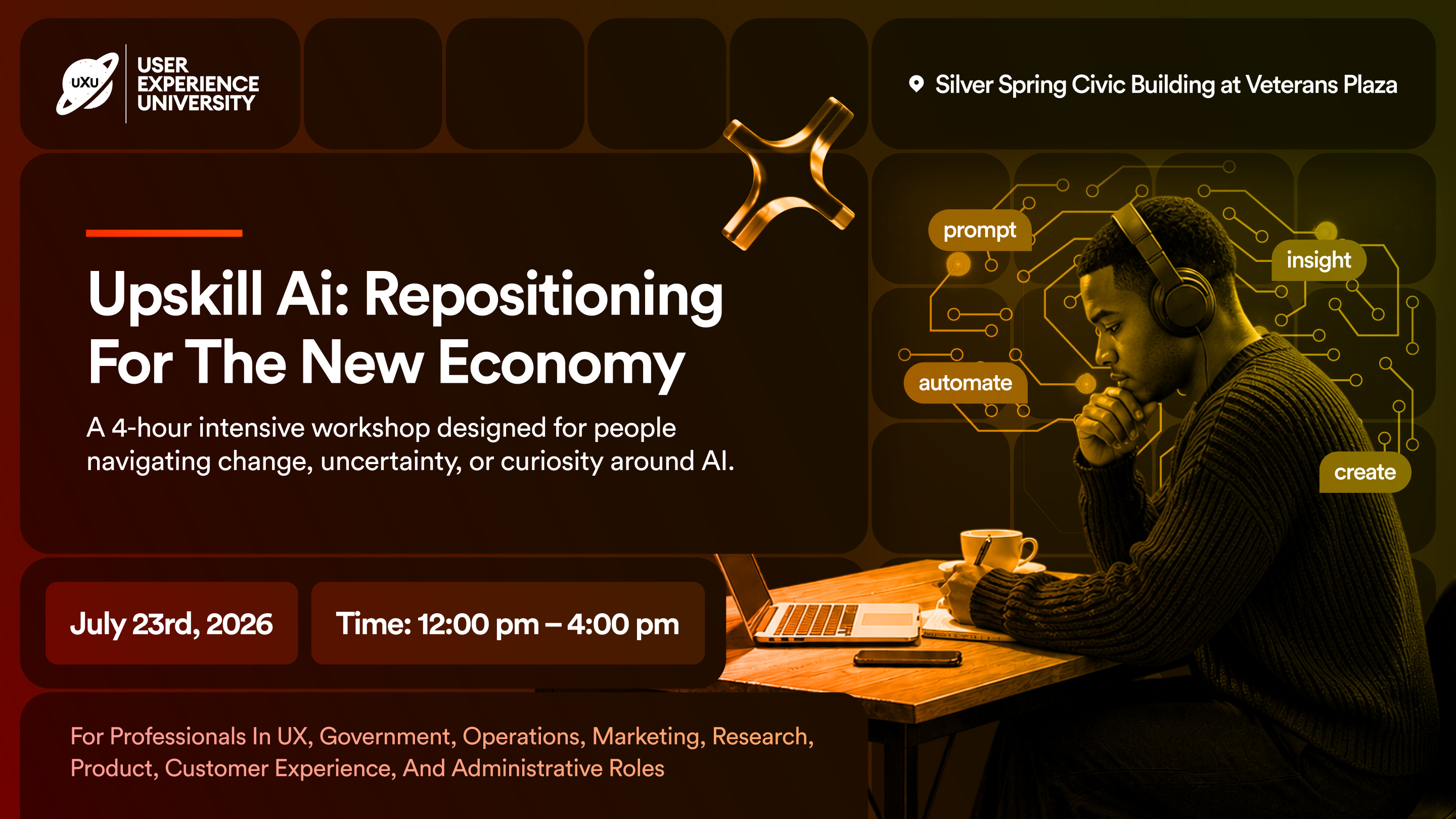
This is not a talk about AI. It is four hours of actual work, your resume, your positioning, your pitch, built inside the tools that are reshaping how hiring works right now. No theory. No slides to forget by Thursday. Just a room full of people who are serious about their next move, doing the work together, led by people who do this for a living.
You leave with something finished. A clearer read on where your skills belong in this economy. And one specific next step you chose before you walked out.
For anyone in this community navigating a transition, a layoff, or just a quiet feeling that the map has changed and nobody handed you a new one.
back to where we stopped….
What AI Is Actually Doing In UX Right Now
Not hypothetically. Right now, in 2026, these are the things AI is doing inside real UX workflows.
🔵 Generating wireframes and user flows from a text prompt
Tools like UX Pilot generate wireframes, high-fidelity screens, and complete user flows from text prompts or reference images, including proper component hierarchy, spacing, and layout logic. A designer types “e-commerce checkout flow for a fashion brand, mobile-first, three steps” and gets a structured, editable multi-screen flow in seconds. Over two million high-fidelity designs have been generated on UX Pilot alone. Nielsen Norman Group
🔵 Building directly inside Figma with AI
Figma Make, Anima’s Buddy, and Google Stitch all allow practitioners to generate and iterate on designs directly inside Figma without leaving their existing workflow. This is not a separate tool you export from. It is AI embedded inside the place designers already work, generating and editing at the speed of a conversation. Index.dev
🔵 Going from sketch to high-fidelity to code in one pass
Tools like Banani let you upload a hand-drawn sketch to create a lo-fi wireframe, convert it into a high-fidelity UI with text prompts, and export production-ready code for development. The entire journey from rough idea to developer handoff, which used to take days, is now a single workflow measured in hours. LinkedIn
🔵 Producing visual assets, newsletter graphics, and marketing materials
You already know about this one because we used it. The header image for this newsletter was generated with ChatGPT Images 2.0. It took ninety seconds. Which brings us to the part of this issue we have been building toward.
🔍 A or B? Guess Which One ChatGPT Made
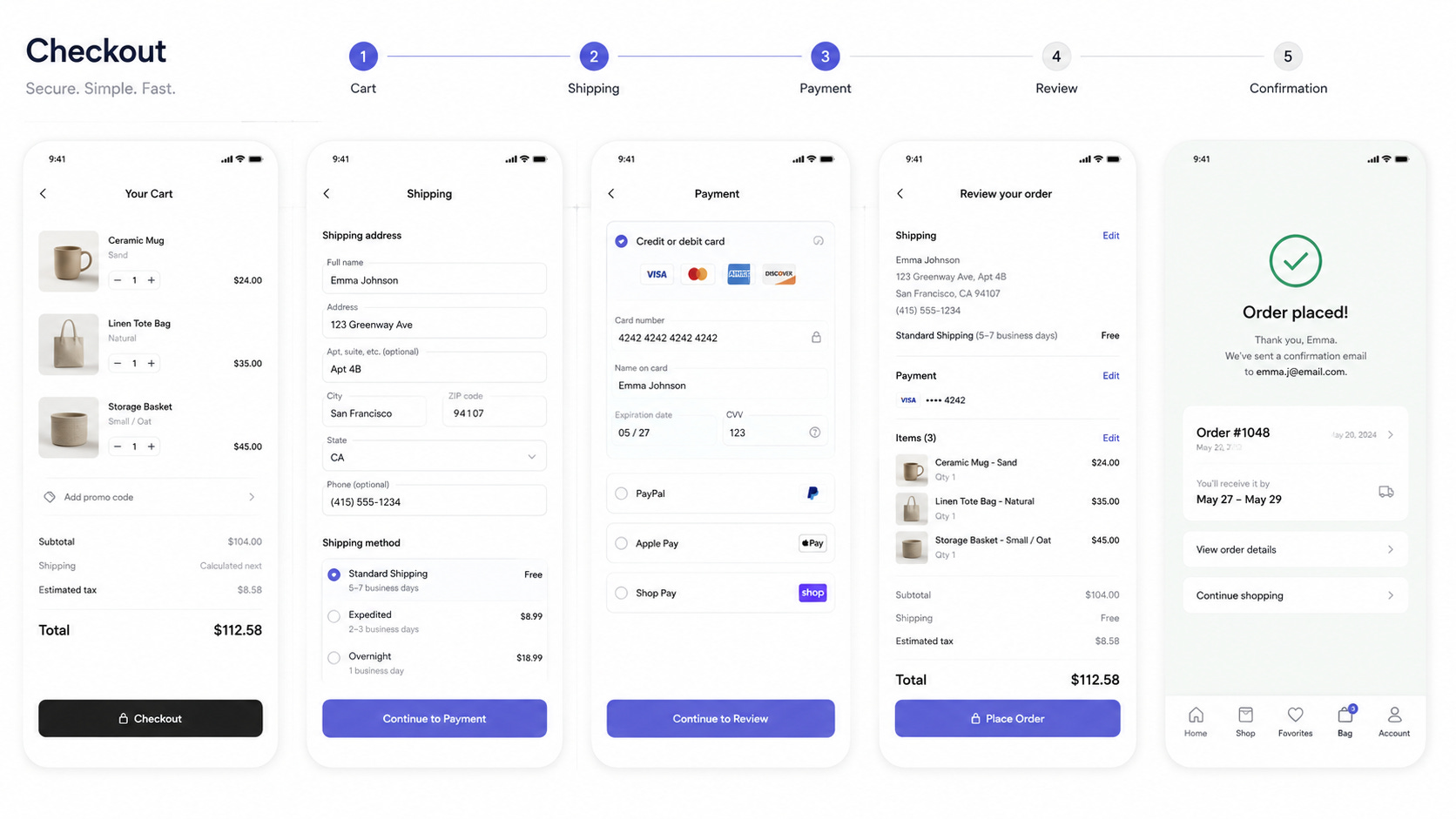
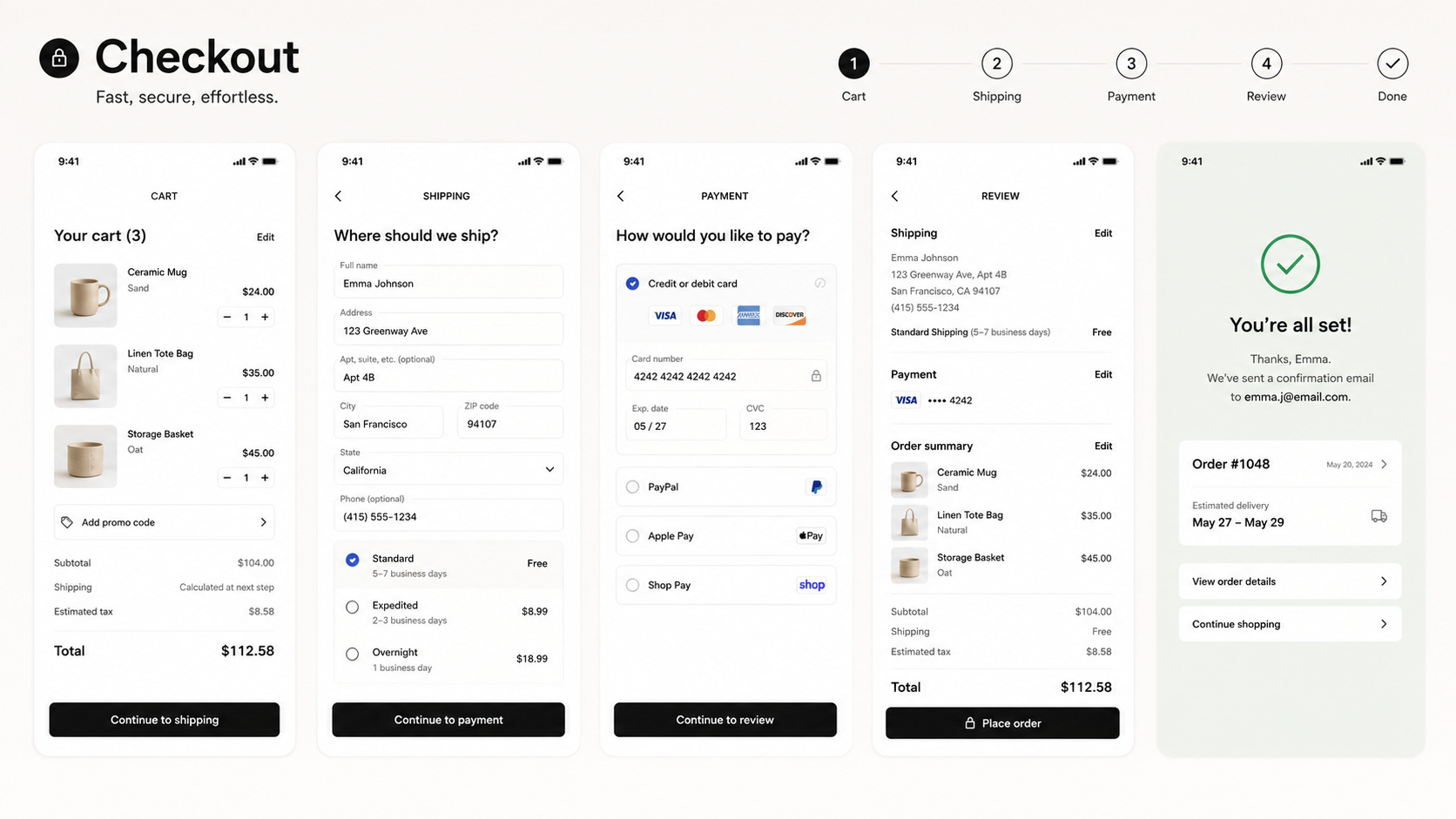
We gave ChatGPT a brief: design a checkout flow screen for a mobile e-commerce app. Clean, modern, minimal. Then we gave the same brief to ChatGPT again.
[Image A] [Image B]
Take a good look. One is the first attempt. One is the refined version.
A
B.
If you guessed A was made by a human designer, you are wrong.
If you guessed B was made by a human designer, you are also wrong.
Obviously not perfect, but considering where we were at 4 years ago, it’s amazing.
Both were generated by ChatGPT. There was no human designer involved in either image. That is the point.
This is not a trick to make AI look impressive. It is an honest demonstration of where the tool actually is in 2026. Two years ago, this output would have looked like a rough starting point at best. Today it looks like something a designer produced. The gap between AI output and professional design work has narrowed faster than almost anyone in this field predicted.
What the comparison actually reveals is not that AI has become a designer. It is that the definition of design is splitting. Visual production is one thing. Design thinking is another. AI is genuinely capable of the first. It is not capable of the second. And understanding that distinction is the most important thing a UX practitioner can hold onto right now.
The Part That Still Requires A Human
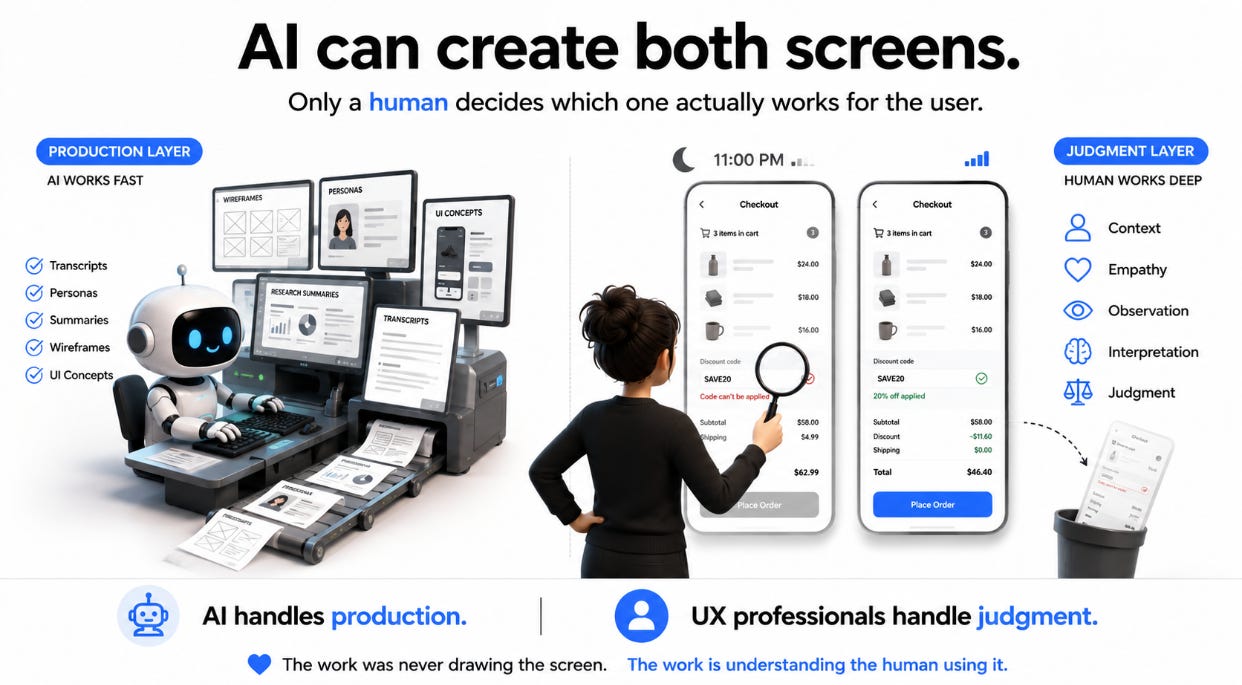
AI generated both those images. It did not decide whether either of them was right for the actual user trying to complete a purchase on a bad signal at 11pm with three items in the cart and a discount code that might not apply.
That is the work. Not the visual. The decision about whether the visual serves the human in the specific moment they encounter it.
AI tools eliminate the grunt work that kept talented professionals stuck pushing pixels instead of solving actual user problems. That framing is useful but incomplete. The more honest version is: AI handles the production layer. The judgment layer, understanding what a specific user actually needs in a specific context and making a considered decision in response to that, remains irreducibly human. UX Design
For researchers, the same logic applies. AI can transcribe a session in minutes. It can pull surface-level themes from fifty interviews in seconds. What it cannot do is sit in a session and notice that a participant said one thing while their behavior showed something completely different. It cannot feel the tension in a moment where a user is clearly frustrated but too polite to say so. It cannot make the interpretive leap from what it observed to what it actually means for what should be built.
The most exciting development for practitioners in 2026 is AI that augments their work rather than trying to replace them. That framing only holds if practitioners stay clearly positioned on the side of the work that requires human judgment. The ones who are thriving are not the ones who ignored AI. They are the ones who used it to compress the time spent on production and redirected that time toward the thinking that actually matters. everyday ux
What To Do With All Of This
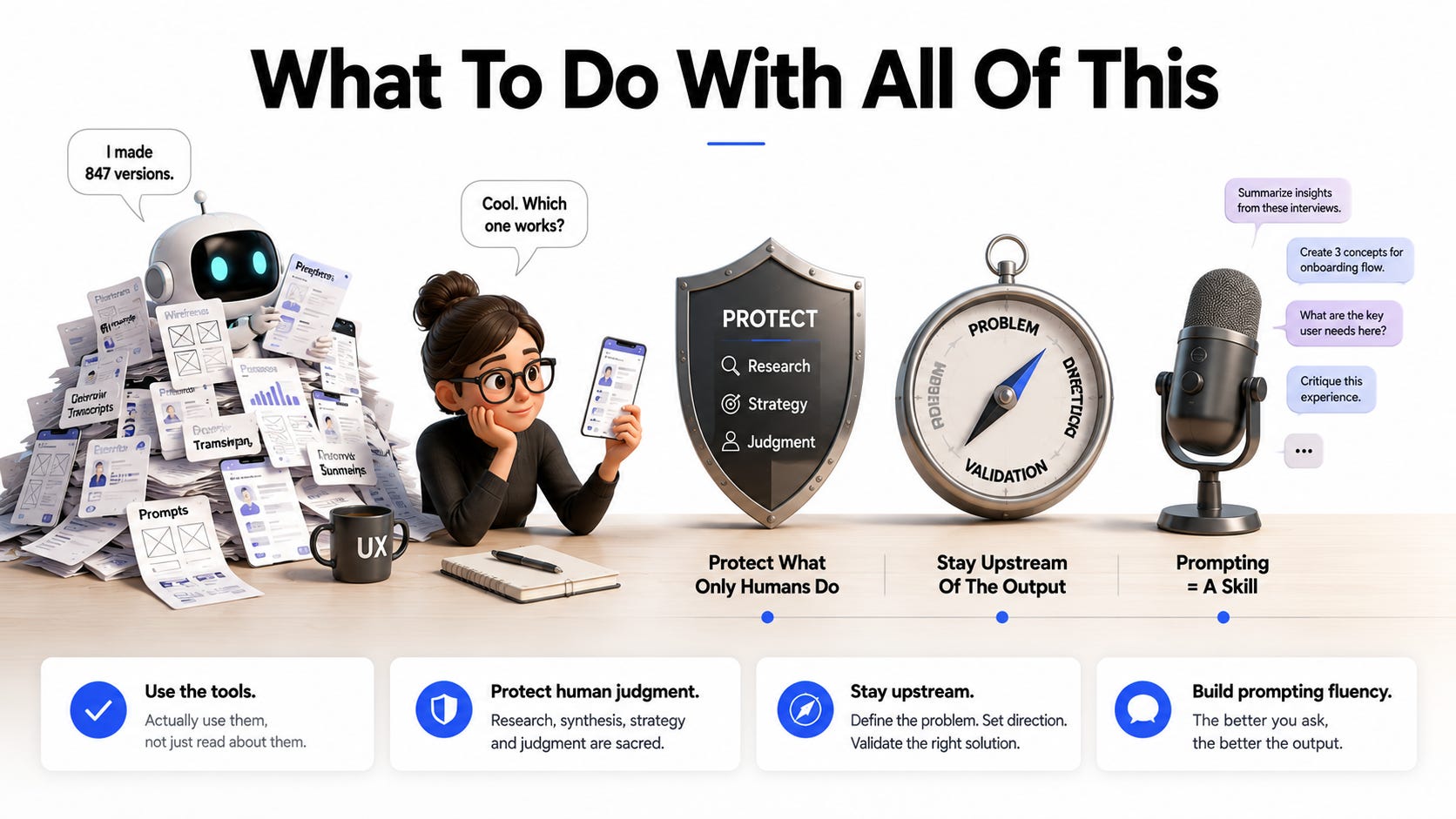
✓ Use the tools. Actually use them, not just read about them
The productivity gap between practitioners using AI tools and those who are not is real and widening. Teams using AI tools are shipping features 40 to 60% faster than those still wireframing manually. That is not a marginal difference. Staying out of the tools because the conversation feels unresolved is not neutrality. It is falling behind. UX Design
✓ Know what you are compressing and what you are protecting
Use AI for generation, iteration, and production. Protect the time you spend on research, synthesis, strategic framing, and judgment. Those are not the same category. The practitioners who are using AI well are the ones who are clear about which parts of their process AI is improving and which parts it is not allowed to shortcut.
✓ Stay upstream of the output
The most dangerous position in a world where AI can generate UX outputs on demand is to be the person who polishes and ships those outputs without interrogating them. That is a role that will get smaller. The valuable position is upstream: defining the problem, setting the direction, evaluating whether what was generated actually works for the people it was designed for.
✓ Build fluency with prompting as a skill
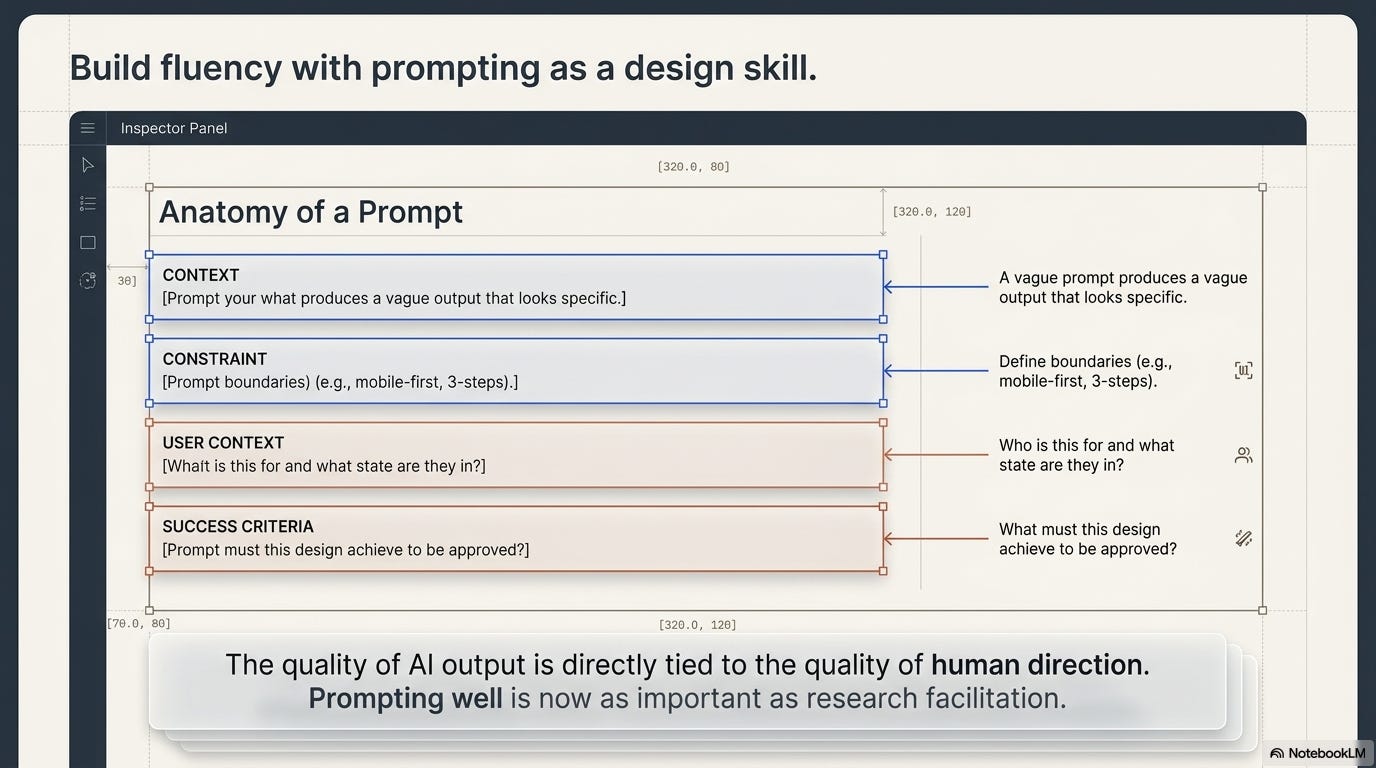
The quality of what AI produces is directly tied to the quality of how you direct it. A vague prompt produces a vague output that looks specific. A well-constructed prompt that includes context, constraints, user context, and clear success criteria produces something you can actually use. Prompting well is a learnable skill and it is becoming as important as knowing how to run a good research session.
📦 Resource Corner
UX Pilot The most purpose-built AI tool for UX work right now. Generates wireframes, high-fidelity screens, and complete user flows from prompts. Over 100,000 Figma plugin installs. Worth testing before forming opinions about what AI can and cannot produce.
Figma Make AI generation built directly into Figma. If your team already lives in Figma, this is the lowest-friction entry point into AI-assisted design workflows.
ChatGPT Images 2.0 The tool behind the images in this newsletter. The April 2026 update changed the quality significantly. Try it on a real brief before deciding what it is capable of.
Anima Design to code, AI wireframing, and Figma-native workflow. Particularly strong for teams that want to reduce the gap between design and engineering handoff.
Toools.design: Best AI Tools for UX Designers 2026 The most current comprehensive roundup of AI tools across the design workflow. Updated regularly and honest about what each tool is actually useful for versus what the marketing claims.
💭 Final Thought
The people who said AI would take years to matter in UX were not trying to mislead anyone. They genuinely underestimated how fast the compounding would happen. Most of us did.
What nobody should underestimate now is how fast the next two years will move.
The practitioners who were caught flat-footed in 2022 had an excuse. The pace of change was genuinely surprising. The practitioners who get caught flat-footed in 2028 will not have the same excuse. The direction is visible. The tools are available. The only variable is whether you engage with them deliberately or wait until the gap becomes impossible to close.
AI would take over your job. That sentence was written in future tense two years ago.
Read it again in the present tense and ask yourself honestly where you stand.
--- The UXU Team
A practical day to reset how you work in UX


