


Here is a question most UX practitioners have not sat with yet.
If an AI generates the interface based on each user’s behavior, context, and needs in real time, what exactly did you design?
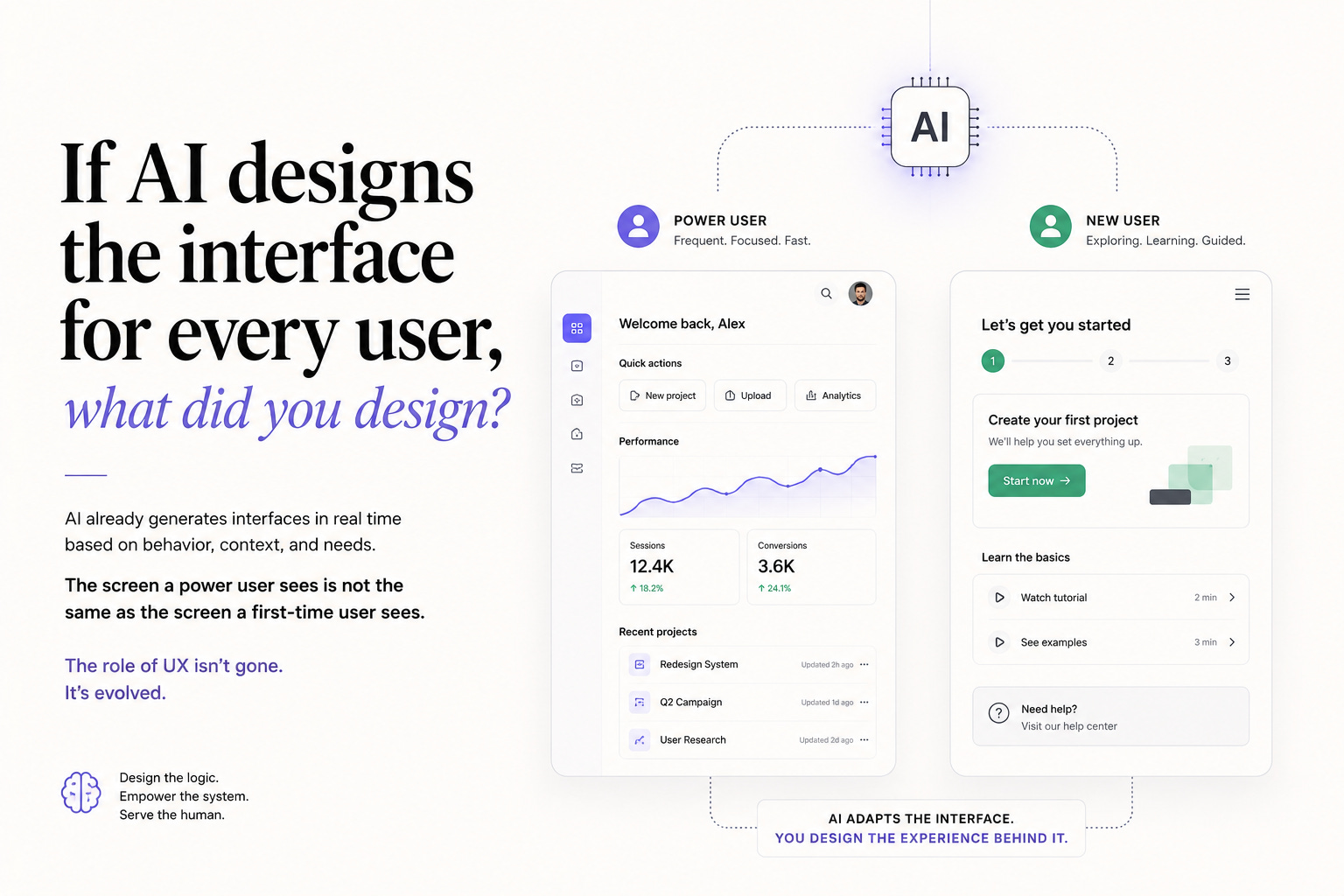
Not a hypothetical. This is already happening. Research shows AI-generated interfaces matched human expert-designed work 44% of the time, produced in seconds rather than days. Products are shipping adaptive interfaces that reorganize themselves based on how individual users actually behave. The screen a power user sees is different from the screen a first-time user sees, not because of A/B testing, but because the interface is generating itself dynamically. Medium
The role of UX in this environment is not gone. It is fundamentally different. And most of the field has not caught up to what that difference actually means in practice.
In This Issue:
What AI-native design actually means
How the job is changing in specific, concrete ways
What practitioners need to own when the interface generates itself
What this means for researchers specifically
The skills that matter most in this shift
Resource Corner
What AI-Native Design Actually Means
There is an important distinction that is getting lost in most conversations about AI and UX.
Adding AI features to a product is not the same as designing an AI-native product. A chatbot in the corner of a screen. A smart search bar. An AI-generated summary. These are features. They live inside an interface that was designed the traditional way.
An AI-native product is different. The interface itself is not static. In 2026, AI is embedded into the interaction layer itself. It predicts what a user needs before they articulate it and shortens task flows by surfacing relevant actions at the right moment. UX Design
If a user always checks “Orders” first in an app, the interface starts placing it higher in the navigation. The homepage highlights “Track Order” instead of showing random promotions. The system is not following a design spec. It is following behavioral logic that a practitioner set up, and then adapting from there on its own. Smashing Magazine
AI is no longer an experimental add-on. It is now a core design workflow, with tools generating production-quality UI built from a team’s actual component library. Slickplan
The screen you design is increasingly a starting point, not a final state.
How The Job Is Changing In Specific, Concrete Ways
🔵 From designing screens to designing constraints
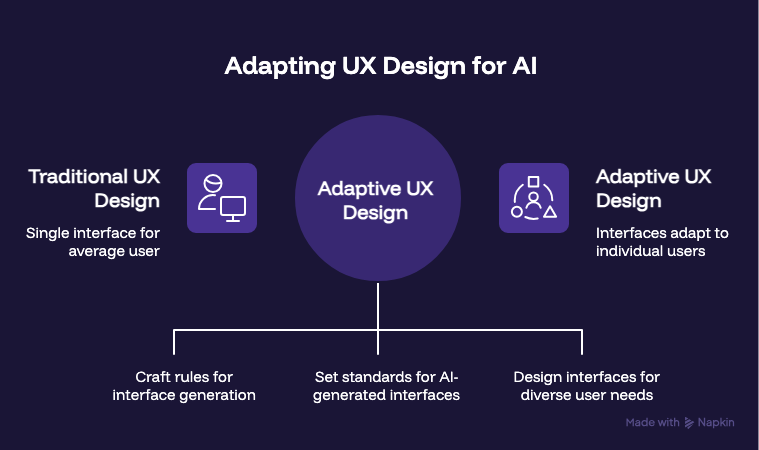
Instead of handing off fixed screens, practitioners are crafting constraints, safety rails, and evaluation criteria that shape how model-driven interfaces operate. They are designing the rules that generate interfaces on the fly, adapting to what each user needs in that specific moment. Medium
What does that actually mean day to day? It means the Figma file is no longer the primary artifact. The logic document is. The decision tree that governs when the interface adapts, how far it adapts, what it can never do regardless of what the model predicts. That is the design work. And most practitioners have never been trained to do it.
🔵 From delivering specs to defining evaluation criteria
When an AI generates an interface, someone has to decide what good looks like. Not in a single review session. As an ongoing standard the model is held to. What constitutes a helpful adaptation versus a confusing one? What user behavior signals should trigger a change and which ones should be ignored? What is the failure state and how does the system recover from it?
These are design questions. They do not live in a prototype. They live in documentation, in test criteria, in the ongoing evaluation of whether what the system is generating is actually serving the person using it.
🔵 From solving for the average user to solving for the range
Traditional UX design produces a single interface that works reasonably well for most users. Adaptive design produces a range of interfaces that each work specifically for one user’s context and behavior pattern. A first-time user sees progressive onboarding. A power user sees a condensed task interface. A user who consistently ignores a feature sees a cleaned-up layout without it. UX Design
Designing for a range is harder than designing for an average. It requires understanding not just what most users need but what different users need in different moments, and building the logic that serves each of them without requiring a separate design for each.
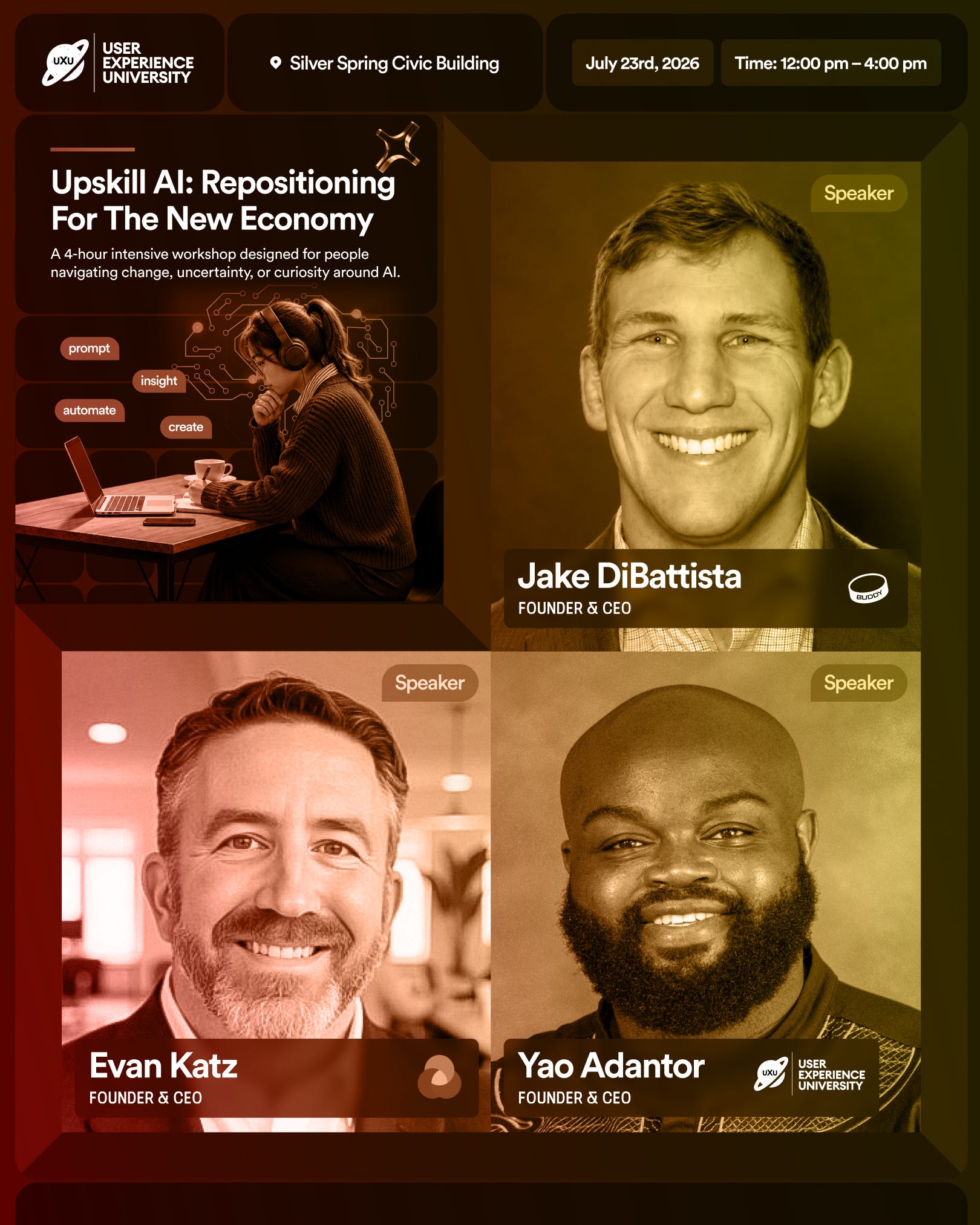
Upskill AI: Repositioning For The New Economy July 23, 2026 · 12 to 4PM · Silver Spring Civic Building, MD
Four hours. Your real resume. Your real pitch. Real AI tools. A room full of UX practitioners who are done waiting for the market to come back to them and ready to meet it where it actually is.
Led by Jake DiBattista, Evan Katz, and Yao Adantor, three founders who have built, hired, and navigated this economy from the inside. They are not teaching theory. They are teaching what is actually working right now.
You will not leave with notes. You will leave with a finished output, sharper positioning, and one clear next step you identified before you walked out the door.
Spots are limited and this one will fill.
What Practitioners Need To Own When The Interface Generates Itself
This is the part that gets underspecified in most conversations about adaptive design.
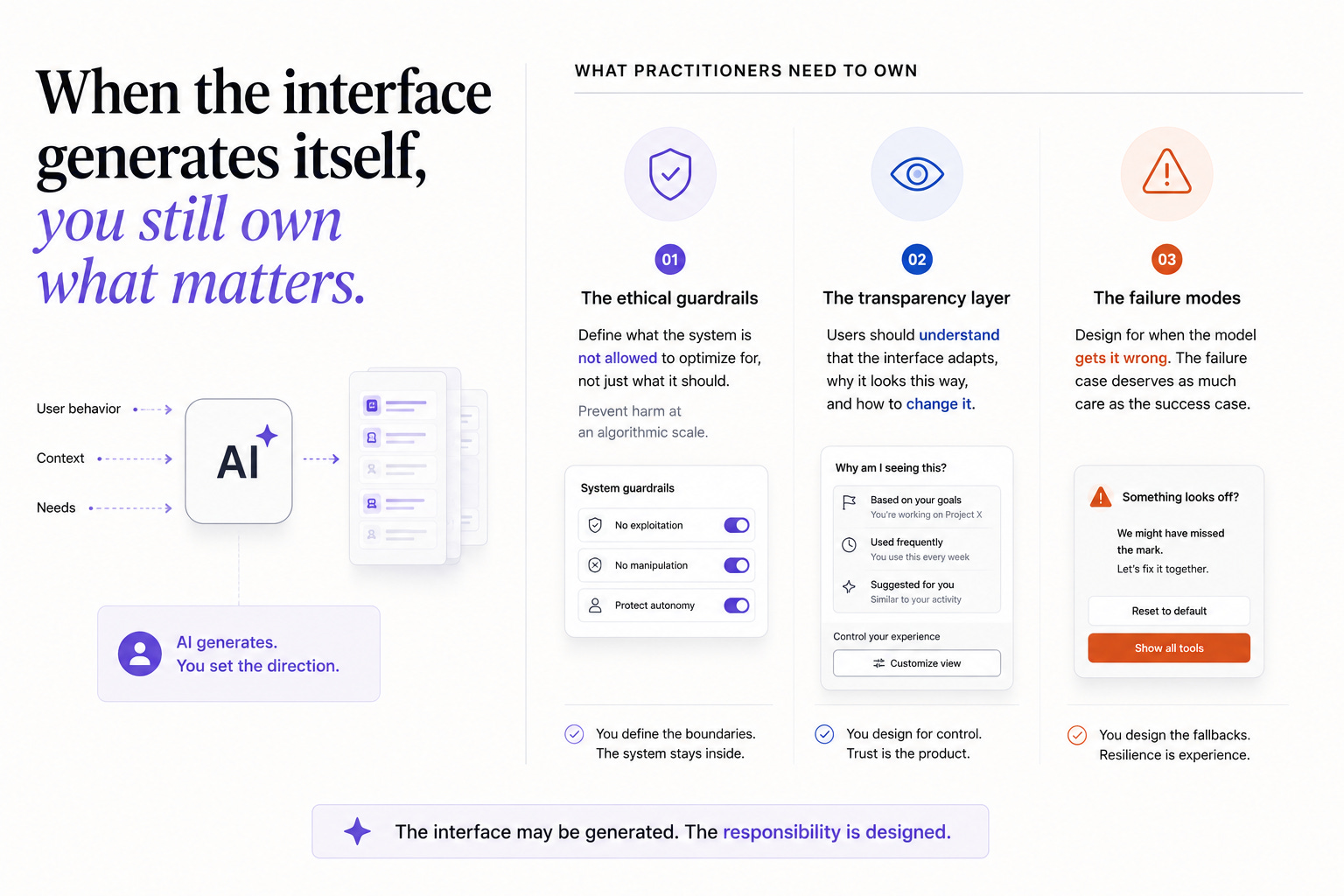
When an AI generates the interface, someone still needs to own the quality of what gets generated. That ownership does not disappear because the output is dynamic. It shifts.
→ The ethical guardrails Practitioners need to craft safety rails that shape how model-driven interfaces operate. An adaptive interface that serves user behavior patterns can also reinforce harmful ones. A system that learns a user spends more time in the app when they are anxious and adapts to maximize that time is technically working as designed. It is also a dark pattern at an algorithmic scale. Practitioners need to define explicitly what the system is not allowed to optimize for, not just what it should. Medium
→ The transparency layer Users interacting with an adaptive interface have a right to understand that it is adapting. In 2026, design is more about control and trust. Instead of debating how to use AI, the conversation is about how transparent and controllable it should be. Designing the moment where a user can see why their interface looks the way it does, and change it if they want to, is a distinct and important design problem that AI-native products are mostly not solving well yet. FullStack
→ The failure modes What happens when the model makes a wrong prediction? What does the interface look like when the personalization fails? Most adaptive systems are designed for the success case. The failure case, where the interface rearranges itself in a way that confuses the user or makes a critical function harder to find, needs to be designed for explicitly.
What This Means For Researchers Specifically
Research in AI-native products is a fundamentally different practice from research in static products. And most research teams are applying static-product methods to a dynamic-product context.
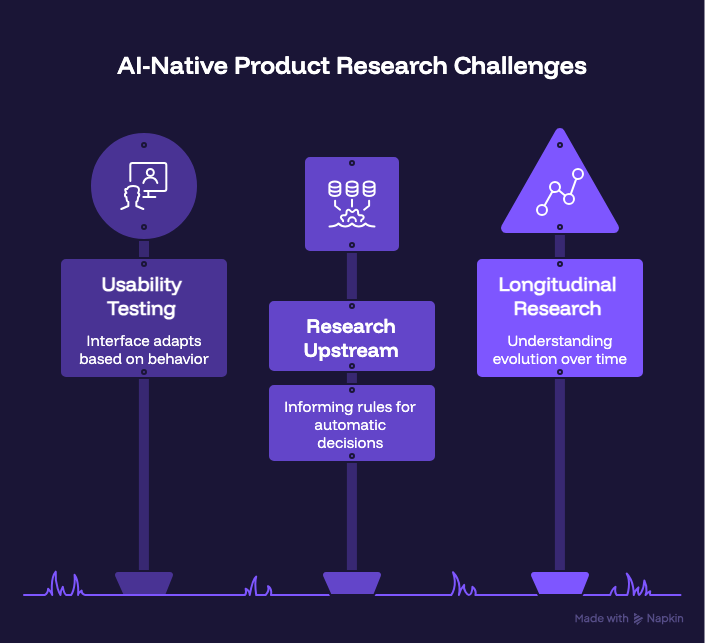
🔵 Usability testing a moving target
If the interface adapts based on user behavior, the interface one participant sees in a usability session may be different from the one another participant sees. The traditional usability testing protocol, where everyone experiences the same thing, does not map cleanly onto adaptive systems. Researchers need methods that can account for variability in what is being tested.
🔵 Research has to go upstream of the logic
In a static product, research informs design decisions made by practitioners. In an adaptive product, research needs to inform the rules the system uses to make decisions automatically. That is a different level of involvement. Researchers need to be present when the behavioral logic is being defined, not just when the interface is being tested. The question “what should trigger this adaptation” is a research question. It rarely gets treated as one.
🔵 Longitudinal research becomes essential
A single usability session shows you what the interface looks like on day one. It tells you nothing about how it evolves over time as the system learns from behavior. Understanding whether the adaptations the system is making are actually helpful, or whether they are creating new friction, requires research conducted over time with the same users. That is a bigger investment than most research teams are currently set up to make.
The Skills That Matter Most In This Shift
Not a comprehensive list. The specific things that matter for navigating this transition.
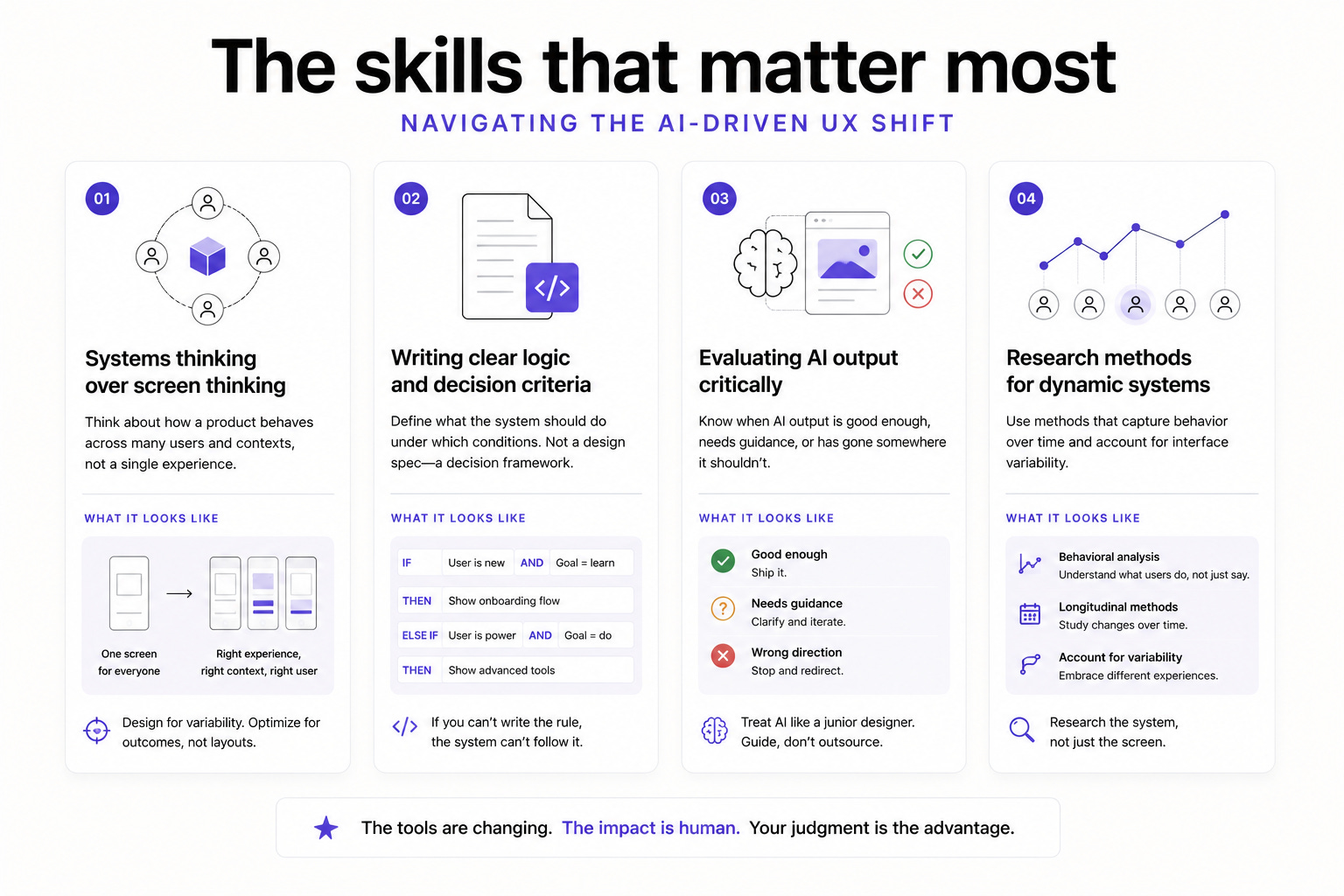
✓ Systems thinking over screen thinking
The ability to think about how a product behaves across many different users in many different contexts, rather than designing a single experience and assuming it generalizes. This is a different cognitive mode from traditional UX and it is one that practitioners who have worked on large-scale or data-heavy products tend to have more naturally.
✓ Writing clear logic and decision criteria
Practitioners are being evaluated on their ability to guide AI, correct it, and define the parameters it operates within. That requires being able to write down, clearly and specifically, what the system should do under which conditions. Not a design spec. A decision framework. If you cannot write the rule, the system cannot follow it. Nielsen Norman Group
✓ Evaluating AI output critically
Treating AI like a junior designer who is ambitious but needs direction produces better outcomes than either blind trust or blanket rejection. The skill is knowing when what the system generated is good enough, when it needs guidance, and when it has gone somewhere it should not. That judgment develops through regular, critical engagement with AI output, not occasional use. Slickplan
✓ Research methods that work on dynamic systems
For researchers, this is the most urgent skills gap. Behavioral analysis, longitudinal methods, and research that can account for interface variability are going to be essential for evaluating adaptive products. These are not skills most research training programs cover well yet.
📦 Resource Corner
UX Design Shifts You Cannot Ignore in 2026 (UX Collective) The most grounded practitioner-level breakdown of what is actually changing inside design teams right now. The section on designing constraints rather than screens is worth reading carefully.
UXPin Forge The tool most ahead of this shift. Generates designs using a team’s actual React components, producing output that is immediately usable rather than requiring hours of rework. Worth understanding how it works even if you do not use it daily.
Adaptive Personalization in UX Specific breakdown of how behavioral personalization is being implemented in products right now, with practical context on what UX teams need to provide for it to work well.
Designing AI Products: The Practitioner’s Guide (O’Reilly) One of the most complete resources available on what UX practice looks like when the product you are designing has AI at its core rather than as a feature layer.
Continuous Discovery Habits by Teresa Torres Increasingly relevant as research needs to be continuous rather than episodic in adaptive product environments. The framework for embedding ongoing discovery into product development maps directly onto the needs of AI-native product teams.
💭 Final Thought
The job title is the same. The job is not.
Designing screens for a static product and defining the rules and constraints for an adaptive one require genuinely different skills, different thinking modes, and different definitions of what done means. The practitioners navigating this well are not the ones who learned to use AI tools. They are the ones who changed how they think about what they are actually making.
You are not making a screen anymore. You are making a system that generates the right screen for the right person at the right moment. That is more interesting than what came before. It is also harder. It requires deeper understanding of user behavior, sharper logic skills, and a different relationship with research as a continuous practice rather than a project phase.
When you design with clarity, empathy, and strong judgment, trends become opportunities instead of threats. Index.dev
The field is not moving away from human-centered thinking. It is demanding more of it, applied earlier in the process, at a level of precision that static design never required.
That is the work now. Get upstream of it.


